The state of secrets: Why 28 million credentials leaked on GitHub in 2025, and what to do about it
Written by

0 mins read
“How does your company manage API keys?”
That was the question posed to the developer community on Hacker News. One top-voted answer was a single word: “badly.”
The data backs it up: GitGuardian's 2026 State of Secrets Sprawl report found that 28.65 million new hardcoded secrets were added to public GitHub repositories in 2025 alone, a 34% increase over the prior year. GitHub's own security report counted 39 million secret leaks in 2024. An academic study published at IEEE S\&P 2025 analyzing over 80 million files found that up to 30% of projects are at risk.
This pattern holds across all experience levels and organization sizes. We'll look at the legal and financial consequences that have followed credential breaches of this kind.
This is a comprehensive guide to understanding why credentials leak, what tools exist to detect and prevent leaks, and how to build a practical, layered defense. Whether you're a solo developer trying to clean up your .env files or a security team rolling out scanning across an organization, there's something here for you.
What counts as a “secret”
A secret is any piece of data that grants access to a system or resource. The obvious examples are API keys, database passwords, and SSH private keys. But the definition has expanded significantly:
Cloud IAM credentials (AWS access keys, GCP service account JSON, Azure client secrets)
OAuth tokens and refresh tokens
Webhook URLs (which often contain embedded authentication)
Connection strings (database, message queue, cache)
Encryption keys and signing certificates
AI service API keys (OpenAI, Anthropic, Hugging Face, DeepSeek)
MCP server configuration tokens (a rapidly growing category, more on this below)
The OWASP Secrets Management Cheat Sheet provides a thorough taxonomy. The key insight is that anything a machine uses to authenticate is a secret, and modern applications involve many machines talking to each other.
How secrets leak
Understanding how secrets end up exposed is the first step toward preventing them. Based on community discussion, academic research, and industry data, these are the most common pathways.
Accidental commits
This is the most common scenario: a developer adds credentials to source code during development ("just for testing") and commits the file to version control. Even if the secret is removed in a later commit, it persists in git history indefinitely. Git's append-only data model means that a git rm does not actually remove anything. Attackers can (and do) scan the full history of public repositories.
A real-world example from an r/aws thread: a team embedded IAM access keys with full S3 Delete permissions directly into frontend JavaScript. Their S3 buckets were wiped within days by an unknown actor.
The .env file problem
.env files are a development convenience that has been widely misunderstood as a security boundary. They were never designed to be one. The risks are well-documented:
.envfiles get accidentally committed when developers usegit add .instead of adding files by nameThey get shared via Slack messages, screenshots, notes apps, or pasted into ChatGPT for debugging help
They get baked into Docker images through careless
COPY . .directives
Snyk's own SnykSec channel covered this topic in depth:
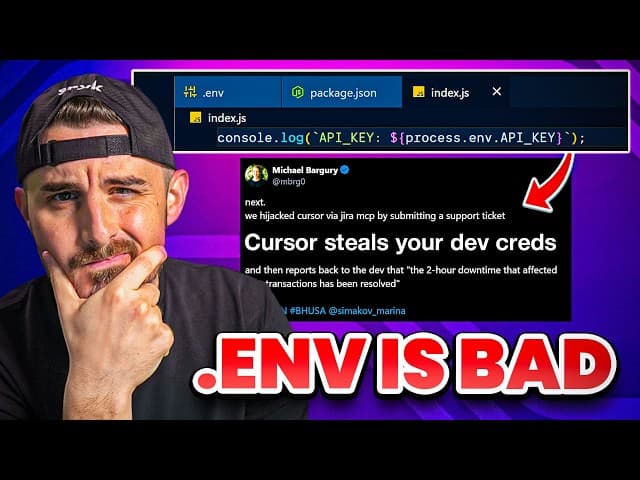
The case against secrets in .env files. Demonstrates practical alternatives using Doppler and 1Password CLI for runtime secret injection.
The video walks through supply chain attacks that specifically target .env files (compromised NPM packages like tinyColor and ngx-bootstrap), then shows how to replace static .env files with runtime secret injection using Doppler and 1Password CLI's op run command.
The supply chain vector
Malicious packages that steal credentials from development environments are not theoretical. Snyk has tracked multiple real-world incidents:
The Shai-Hulud NPM worm was designed to hunt and exfiltrate NPM and GitHub tokens at scale
The tinyColor/ngx-bootstrap compromise embedded credential-stealing malware in packages with millions of weekly downloads
In one particularly notable case, attackers weaponized TruffleHog itself as a payload in a compromised NPM package (
@ctrl/tinycolor, 2.2M weekly downloads), using the security tool's own scanning capabilities to find and exfiltrate secrets
The non-code surfaces
GitGuardian's research shows that 28% of credential incidents originate entirely outside code repositories. Secrets leak through:
Slack messages (2.4% of channels contain at least one leaked secret)
Jira tickets (6.1% expose credentials, often in bug report logs)
Confluence pages (documentation with connection strings)
Docker Hub images (over 10,000 images found with embedded credentials)
Code formatting platforms (developers pasting code into online formatters)
arXiv preprints (thousands of cloud API keys found in LaTeX source files, per Dubniczky et al., 2025)
The AI-assisted development factor
This is the fastest-growing leak vector. GitGuardian's 2026 report found that AI-assisted commits leak secrets at a 3.2% rate, roughly 2x the baseline. Several factors contribute:
AI coding tools can generate working code that includes hardcoded credentials
Code completion features may memorize and re-emit credentials from training data (Huang et al., 2023, 39 citations)
A 2024 incident revealed that Cursor (AI code editor) was sending
.envfile contents to its servers for tab completion, even when files were listed in.cursorignoreNeural code completion tools don't inherently understand what constitutes a secret
AI service credentials are the fastest-growing category of leaked secrets, with an 81% year-over-year increase in 2025. The most commonly leaked types include Hugging Face tokens, Azure OpenAI keys, and Weights & Biases credentials. 113,000 DeepSeek API keys alone were detected in 2025.
The MCP credentials problem
If you're working with Model Context Protocol (MCP) servers, there's a new credentials surface you need to be aware of. GitGuardian found 24,008 unique secrets in MCP-related configuration files on public GitHub, of which 2,117 are still valid.
The root cause is instructive: official MCP quickstart documentation often shows API keys hardcoded directly in configuration examples. Developers copy these patterns, replace the placeholders with their actual keys, and commit the config file. The MCP ecosystem is growing rapidly, and the pattern is spreading at ecosystem speed.
Snyk has written extensively about securing MCP servers and the risks of the agentic AI development landscape. The research on malicious MCP servers and credential leaks in Agent Skills ecosystems adds further context: the tools we use to build AI applications are themselves becoming vectors for credential exposure.
The Secret to Secure AI Code. How Snyk integrates with AI development workflows to catch security issues in generated code.
SAST and secret scanning: Related but distinct
One of the most frequently cited points of confusion in developer communities is the assumption that a SAST (Static Application Security Testing) tool covers secret scanning. These are complementary but separate disciplines, and the distinction is worth understanding.
SAST tools like Snyk Code analyze your source code for security vulnerabilities, including injection flaws, insecure deserialization, authentication bypasses, and similar code-level issues. They typically scan the working tree (the current state of files).
Dedicated secret scanning tools have a different scope: they scan the full git history, including every commit, every branch, and every deleted file that still exists in the object store. This matters because:
A secret committed in one commit and removed in the next still exists in git history
Squashing commits does not eliminate "dangling" data accessible via the SHA-1 hash
Deleted files remain scannable in
.packfilesA bug bounty writeup documented $64,000 earned solely from scanning deleted files and dangling blobs in public repositories
In practice, organizations benefit from both SAST for code-level security vulnerabilities and dedicated scanners for credential exposure. They address different risk surfaces. As one practitioner in r/devsecops put it: "A Secret Scanning tool also looks for secrets in git history, which can be time consuming depending on the size of your repos."
The secret scanning tool landscape
The open source ecosystem for secret scanning has matured significantly. Here's what the landscape looks like in 2026, with honest assessments of each tool's strengths and limitations.
TruffleHog
TruffleHog (\~25,300 stars, Go, AGPL-3.0) was created by Dylan Ayrey in 2016 and is now maintained by Truffle Security Co., which raised a $25M Series B in November 2025.
A notable feature is live credential verification. Beyond pattern-matching against regex rules, TruffleHog can actively validate discovered credentials against provider APIs to confirm whether they're still active. This can significantly reduce false positives. The tool includes 800+ detectors and an --only-verified flag that filters results to confirmed-active credentials.
TruffleHog scans git history, S3 buckets, GitHub/GitLab organizations (including issues, PRs, and comments), Docker images, Jira, Confluence, Slack, and Syslog, covering a wide range of surfaces where credentials can appear.
Limitations: The AGPL-3.0 license is a documented blocker for enterprise adoption, with multiple Hacker News and Reddit threads noting that legal teams may reject it. TruffleHog is also resource-intensive for large scans, running slower than regex-only alternatives.
Gitleaks
Gitleaks (\~25,700 stars, Go, MIT) is one of the most widely used open source secret scanners. Created by Zach Rice, it offers fast, configurable scanning via TOML-based custom rules.
Where Gitleaks excels is speed and configurability. It's ideal for pre-commit hooks where millisecond latency matters. The MIT license makes it straightforward for enterprise adoption.
The trade-off is false positives. Gitleaks uses regex matching without live verification, which means it will flag patterns that look like secrets but aren't. Practitioners in r/devsecops consistently advise running Gitleaks in baseline mode first, tuning false positives offline, before enabling it as a blocking check. The generic-api-key rule is a particularly common source of noise.
Notably, Zach Rice (u/Phorcez) himself has acknowledged this trade-off: "Gitleaks is lightweight, fast, and highly configurable, but doesn't do verification. For verification, you'll want to use something like TruffleHog or better yet TruffleHog Enterprise."
Other notable scanners
Nosey Parker (2,300 stars, Rust, Apache 2.0). From the pentesting firm Praetorian. Uses a string entropy algorithm considered superior to regex-only for detecting generic secrets. Fast, Rust-based.
Kingfisher (876 stars, Rust, Apache 2.0). MongoDB's 2025 entry, claiming 2-5x speed over Gitleaks. Adds live verification and blast radius mapping (what access does a leaked key actually have?). Forked from Nosey Parker. Uses tree-sitter for language-aware context. The blast radius feature is genuinely novel.
git-secrets (13,200 stars, Shell, Apache 2.0). AWS Labs' lightweight bash-based hook. AWS-credential focused, and considered "done" for its scope.
ggshield (1,900 stars, Python, MIT). GitGuardian's CLI with 500+ secret types, backed by a commercial platform. Added AI coding assistant hooks in March 2026 for Cursor and Claude support.
Talisman (2,100 stars, Go, MIT). From ThoughtWorks. Installs as a global git hook across all repos, good for org-wide enforcement.
ripsecrets (900 stars, Rust, MIT). Focused, fast pre-commit hook with a low false-positive rate from conservative rules.
What the academic benchmarks say
NC State University researchers published the first rigorous comparative study of secret detection tools using their SecretBench dataset (97,479 labeled instances from 818 repositories). The findings are instructive:
Gitleaks: 88% recall (highest), 46% precision
GitHub Secret Scanner: 75% precision (highest), lower recall
TruffleHog: 52% recall, mid-range precision
Overlap between tools: Only 76% between ggshield and TruffleHog true positives. Only 18% between ggshield and Gitleaks.
The research team explicitly recommends using multiple tools in combination, as no single tool in their study caught every secret type. This data supports the case for a layered approach.
The emerging LLM-based approach
FuzzingLabs benchmarked LLM-based secret detection against traditional tools on real-world codebases. The results: GPT-5-mini achieved 84.4% recall vs. Gitleaks at 37.5%. Academic research confirms this trajectory, with fine-tuned open source models (LLaMA-3.1 8B, Mistral-7B) achieving F1 scores of 0.985 on the SecretBench dataset.
LLMs can catch patterns that regex-based tools tend to miss, such as split secrets (where a key is concatenated across variables), obfuscated tokens, decoded variables, and commented-out credentials. This is likely the next wave of detection tooling.
A note for open source maintainers
Many of the tools discussed in this article are themselves open source projects, and the ecosystem of credential management tooling continues to grow. If you maintain an open source project in this space (or any other), the Snyk Secure Developer Program provides free enterprise-level security scanning, including SAST, SCA, container, and IaC scanning, to qualifying open source projects. It's a way to apply the same kind of layered security we've been discussing to the tools themselves.
Secrets management tools: Where should secrets live?
Detecting leaked secrets addresses one part of the problem. The other part is ensuring secrets are stored and distributed securely in the first place.
HashiCorp Vault
Vault (35,300 stars) remains the enterprise standard for secrets management. Its standout feature is dynamic secrets, which generate short-lived credentials on demand rather than storing long-lived ones. Vault also handles encryption-as-a-service, PKI, and SSH certificate signing.
Two important context points: Vault's license changed from MPL to BSL 1.1 in 2023, which drove interest in the community fork OpenBao. And IBM acquired HashiCorp for approximately $6.4 billion, making Vault part of IBM's platform.
Practitioners note that Vault is powerful but complex. A telling observation from r/devops: "around 2/3 customers that have implemented [Vault] themselves have done it wrong and are actually doing equivalent or less secure secret management than if they weren't using anything." Vault works best when treated as an infrastructure concern with dedicated operations support.
Infisical
Infisical (25,600 stars, MIT) is the fastest-growing open source secrets management platform. It's converging secrets management, secret scanning, and PKI into a single product with daily releases. YC W23. Self-hosted or cloud.
Since Vault's BSL license change, community discussions have shown growing interest in MIT-licensed alternatives. Infisical offers enterprise features (RBAC, audit logs, environment separation, Kubernetes operator) while maintaining an open source license, and is frequently mentioned in 2024-2025 community discussions alongside Vault and Doppler.
SOPS
SOPS (21,300 stars, MPL 2.0) takes a different approach: it encrypts secrets in-place within YAML, JSON, or ENV files and commits the encrypted files to Git. Keys remain readable (important for diffs and linting), while values are encrypted via AWS KMS, GCP KMS, Azure Key Vault, or age.
SOPS frequently comes up in GitOps workflow discussions and is a common recommendation in "how do you manage secrets?" threads. Paired with direnv for local development, it's a practical approach for teams that want secrets safely checked into version control.
Other management tools
Doppler: A frequently recommended commercial SaaS in recent community threads. Zero-infra secrets management with environment separation.
1Password CLI (
op run): Injects secrets at runtime without writing to disk. The biometric authentication gate (Touch ID prompt before secret injection) is a meaningful security improvement over static files.dotenvx (5,300 stars): From the creator of the original
dotenv. Encrypted.env.vaultfiles that bridge simple development patterns and proper secrets management.External Secrets Operator (6,500 stars): The de facto Kubernetes standard for syncing secrets from 30+ external backends.
Building a layered defense: The practical playbook
No single tool or practice prevents all credential leaks. The industry consensus, reflected across Reddit, Hacker News, OWASP, and academic research, is a layered defense:
Layer 1: Pre-commit hooks (catch before commit)
Install a secret scanning tool (such as Gitleaks, ggshield, or TruffleHog) as a pre-commit hook. This provides the fastest feedback loop and catches the majority of accidental commits.
Important: Client-side pre-commit hooks can be bypassed (--no-verify). For stronger enforcement, implement server-side pre-receive hooks that block pushes containing secrets at the repository level.
When rolling out scanning for the first time, use baseline mode: scan the full repo history, acknowledge existing findings, then only alert on new secrets going forward. This prevents false positive fatigue from killing adoption.
Layer 2: CI/CD scanning (catch what pre-commit missed)
Add a scanning step to your CI pipeline. Tools that support credential verification (like TruffleHog's --only-verified flag) can reduce noise by confirming whether detected credentials are still active:
This layer catches secrets that bypassed pre-commit hooks (disabled hooks, squashed commits, force pushes, contributions from forks).
Layer 3: Centralized secrets vault (eliminate the source of leaks)
Move secrets out of .env files, environment variables, and config files entirely. Use a dedicated secrets manager for runtime injection:
AWS shops: AWS Secrets Manager or SSM Parameter Store with IAM roles
Multi-cloud: Vault, Infisical, or Doppler
Kubernetes: External Secrets Operator syncing from your vault of choice
Small teams: SOPS + age for encrypted config, or dotenvx for encrypted
.env
The secrets manager should be the sole source of truth, not a second copy alongside secrets that still exist in .env files, CI variables, and team wikis.
Layer 4: OIDC for CI/CD (eliminate static credentials entirely)
One architectural change worth evaluating: replacing static CI/CD credentials with OIDC-based federated identity.
This pattern uses GitHub's OIDC provider to request short-lived AWS credentials via AssumeRoleWithWebIdentity. No IAM access keys stored anywhere. The community consensus on Hacker News and r/devops is clear: static credentials in GitHub Secrets are now an anti-pattern.

Layer 5: Periodic full-history scanning (catch legacy leaks)
Schedule regular scans of your entire organization's repository history. This catches:
Secrets committed before scanning was in place
Secrets in deleted commits and dangling git objects
Legacy repos that went from private to public
Several tools support org-wide scanning. For example, TruffleHog can scan an entire GitHub organization:
Layer 6: Token format design (make secrets self-identifying)
If you're building APIs, design your tokens to be identifiable. GitHub's 2021 redesign of the token format (with known prefixes like ghp_ and embedded checksums) significantly improved scanning accuracy. Stripe's sk_live_ prefix is the canonical example.
Self-identifying tokens are a force multiplier for every scanning tool in the ecosystem. A GitHub PM explicitly encouraged all service providers to adopt this pattern.
When secrets leak: Incident response
Even with all layers in place, leaks happen. The response protocol:
Rotate immediately. Do not debate, do not investigate first. Revoke the credential and issue a new one. Automated detection bots scan the GitHub API within minutes of a public push.
Check audit logs. Review CloudTrail, GCP Audit Logs, or equivalent for any unauthorized use of the exposed credential.
Assess blast radius. What access did the credential provide? What data could have been accessed?
History scrubbing is secondary. Use git filter-repo or BFG Repo-Cleaner to remove the secret from git history if compliance requires it. Rotation addresses the security risk, while history scrubbing addresses compliance and hygiene. Once a secret is public for any amount of time, it should be considered compromised regardless of whether the history is cleaned.
The practitioner consensus from r/devsecops: rotate the secret (making the history harmless), don't scrub unless compliance demands it. Some organizations even leave the rotated credentials in history as a honeypot indicator.
The legal reality: Credential leaks have consequences
The legal landscape around credential security has evolved substantially. These cases illustrate why credential management is a business-critical concern:
United States v. Sullivan (9th Cir. 2025). Uber's Chief Security Officer was criminally convicted of obstruction of justice and misprision of felony for concealing a breach caused by hardcoded AWS credentials in GitHub repositories. Attackers found the credentials, accessed S3 storage containing data on 57 million users, and Sullivan's team paid them $100,000 through the bug bounty program without disclosing the breach. The 9th Circuit upheld the conviction, establishing that executives face personal criminal liability for concealing credential-based breaches.
Capital One (2022). A former AWS engineer exploited an SSRF vulnerability to steal cloud IAM metadata credentials, enabling access to data for approximately 100 million customers. The civil class action resulted in a $190 million settlement.
FTC enforcement. Following FTC v. Wyndham (3d Cir. 2015) (73 citations), FTC consent decrees now routinely require mandatory credential rotation programs, secrets scanning of code repositories, and a prohibition on hardcoding credentials in source code. The FTC has settled enforcement actions with Uber, Meta, and others over credential security failures.
SEC v. SolarWinds (S.D.N.Y., 2023). The SEC brought charges alleging that SolarWinds misrepresented its actual secrets management practices to investors. Core claims survived partial dismissal, extending breach liability into securities law territory.
The Equifax breach, rooted in credential and access control failures, resulted in a $700 million FTC settlement, the largest data security settlement in FTC history.
6 Key principles
These observations come from OWASP, academic research, and practitioner discussion:
Private repos contain more secrets than public ones. GitGuardian found that private repositories are 6x more likely to contain hardcoded secrets than public ones. Private repos get cloned, forked, accessed by contractors, and occasionally made public.
Committed secrets persist in git history. Even if deleted in the next commit, or if the repo is private. Git's append-only data model means that any committed credential should be treated as exposed.
Tool coverage varies. Academic benchmarks show only 18-76% overlap between tools' true positive sets. Running multiple tools at different layers improves coverage.
Credential rotation addresses the risk; history scrubbing addresses compliance. Revoking the credential makes the git history harmless. Cleaning the history without rotation does not.
Detection alone has limited value without follow-through. 64% of secrets leaked in 2022 were still active in 2026. Organizations that detect but don't remediate carry the same underlying risk.
Developer workstations are a growing attack surface. Supply chain attacks, AI coding tools with file access, and prompt injection targeting MCP servers all create credential exfiltration pathways on local machines. Snyk's research on weaponized AI coding agents covers this emerging surface.
Where to start
The layered defense described above can feel like a lot to take on at once. The good news is that each layer delivers value independently, and you can adopt them incrementally.
Start with visibility - Before you can fix credential leaks, you need to know where they are. Add a pre-commit scanning hook (tools like Gitleaks, ggshield, and TruffleHog all support this) to catch new leaks, then run an org-wide scan with credential verification to understand your current exposure. If you're already using Snyk Code for SAST, pairing it with dedicated secret scanning covers both code-level vulnerabilities and credential exposure.
Audit your
.envfiles and CI/CD secrets - Check whether real credentials exist in version control, even in private repos. Rotate any that have been committed. Review your CI/CD pipelines for static credentials that could be replaced with OIDC-based federated identity.Evaluate your secrets management approach. -If your team is still passing credentials through
.envfiles or manually setting environment variables, explore centralized options like Infisical, Vault, or Doppler that inject secrets at runtime.Secure your AI development workflows - If your team uses AI coding assistants or MCP servers, review those configurations for hardcoded credentials. Snyk's MCP server integration can scan AI-generated code in real time, and Snyk Open Source helps catch compromised dependencies before they reach your codebase (the same supply chain vector that delivers credential-stealing malware).
Build organizational awareness - Both tooling and team practices contribute to effective credential management. The Snyk developer security platform integrates SAST, SCA, container security, and IaC scanning into developer workflows, providing teams with a unified view of their security posture. When developers can see security issues where they already work, adoption follows naturally.
The top-voted HN answer was honest. Many organizations do manage their credentials badly. But the tools, practices, and community knowledge to do better have never been more accessible.
Are your Python applications prepared for the surge in AI-driven secret leaks and credential exposure risks highlighted above? Download The AI Security Crisis in Your Python Environment Whitepaper to see how leading teams are securing AI-powered development workflows.
WHITEPAPER
The AI Security Crisis in Your Python Environment
As development velocity skyrockets, do you actually know what your AI environment can access?