Top 8 Claude Skills for UI/UX Engineers

If you spend any time in r/Frontend, r/UXDesign, or the Figma Community forums, you have probably noticed a shift in how designers and front-end developers talk about AI tools. Two years ago, most of the conversation was about whether AI would replace designers entirely. That fear has not gone away (and probably never will), but it has been joined by a more practical thread: designers sharing workflows where AI handles the tedious parts so they can focus on the creative ones.
The numbers reflect this. AI adoption among UX researchers jumped to 80% in 2025, according to Loop11's annual survey. Senior designers report outputting the volume of work previously associated with a 3-person team, a trend that has given rise to the "Super-IC" (super individual contributor) who operates like a one-person design studio. On Reddit, the reception has been enthusiastic and practical. In r/webdesign and r/Frontend, developers are building full prototypes in 30 minutes with Claude Code. Over on UX Collective, designers are publishing detailed workflows for using Claude to convert designs to dark mode automatically, generate accessible component variants, and audit pages against WCAG guidelines.
The skepticism is still there, and it is healthy. 91% of UX researchers worry about output accuracy and hallucinations. The community consensus is clear: AI builders are great for whipping up first-draft mockups and scaffolding, but they still trip over bespoke tweaks, nuanced interaction patterns, and the kind of design judgment that comes from years of watching real users struggle with real interfaces. AI does not replace the designer's eye. It handles the repetitive work (generating responsive variants, checking contrast ratios, scaffolding component boilerplate, auditing against checklists) so the human can spend more time on the decisions that actually matter.
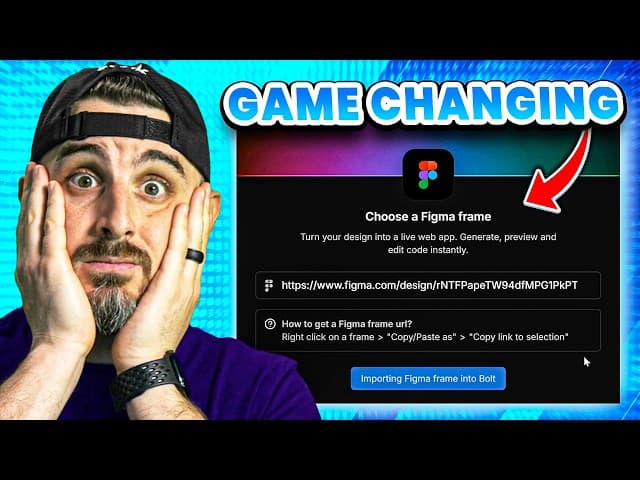
Snyk's Brian Clark walks through building a website using Bolt and Figma together, demonstrating the kind of AI-assisted design workflow that front-end developers are adopting.
Claude Skills are one of the more interesting entry points into this workflow. If you have not encountered them yet, they are worth understanding because they sit in a unique position in the Claude ecosystem.
What are Claude Skills (And what are they not)?
The Claude ecosystem has several extension mechanisms, and they are easy to confuse. Here is a quick disambiguation:
CLAUDE.md files are persistent project memory. They load into every session and tell Claude things like "this project uses Tailwind v4" or "always use 2-space indentation." They are always-on context, not on-demand capabilities.
Custom Slash Commands (
.claude/commands/*.md) were simple prompt templates triggered by/command-name. They have been effectively merged into Skills. Skills that define anargument-hintin their frontmatter can be invoked as slash commands, while others activate contextually based on your task.MCP Servers are running processes that expose tools and data sources via the Model Context Protocol. They let Claude call APIs, query databases, or interact with external services. They require a server process and code.
Claude Connectors connect Claude to external services like Slack, Figma, or Asana via remote MCP servers with OAuth.
Claude Apps refers to the platforms where Claude runs (Claude.ai, Claude Code, mobile, desktop), not extensions to Claude.
Plugins are bundles that package skills, agents, hooks, and MCP servers together for distribution.
Claude Skills are directories containing a SKILL.md file (with YAML frontmatter and markdown instructions) plus optional supporting files like scripts, templates, and reference docs. What makes them unique:
They are directories, not single files. A skill can bundle shell scripts, Python helpers, reference documentation, and asset files alongside its instructions.
Progressive disclosure. At startup, Claude loads only each skill's
nameanddescriptionfrom the YAML frontmatter (roughly 100 tokens per skill), similar to how MCP tool descriptions are injected into context. Claude matches your task against those descriptions to decide which skill to activate. When it finds a match, it loads the full SKILL.md instructions. Supporting files (references, scripts, assets) load only when explicitly needed during execution. This three-tier approach keeps your context window lean even with dozens of skills installed. It also means a skill'sdescriptionfield is critical: vague descriptions activate unreliably, while precise descriptions with explicit trigger phrases (like "Use this skill when the user asks to build web components") activate consistently.They can execute code. Skills can include scripts in
scripts/that Claude runs during execution, and they can use the!`command`syntax to inject dynamic output into the prompt context.They follow an open standard. The Agent Skills specification has been adopted by Claude Code, OpenAI Codex, Cursor, Gemini CLI, and others, making skills portable.
They can register as slash commands. Skills that include an
argument-hintfield in their YAML frontmatter can be invoked directly as/skill-name. Skills without an argument hint activate contextually instead, meaning Claude picks them up automatically when your task matches their description.
The official specification and Anthropic's skills documentation cover the full format. The Anthropic engineering blog post on Agent Skills is also worth reading for the design rationale.
Installing a Claude Skill
Installing a skill takes about 30 seconds.
Project level (shared with your team via version control):
User level (personal, available across all projects):
Via plugins (for skill collections like Vercel):
Skills at the project level are shared with teammates through source control. Skills at the user level are private to you. When names conflict, enterprise skills take precedence over personal skills, which take precedence over project skills.
One important caveat: the Agent Skills ecosystem is new and growing fast, which means supply chain security matters. Snyk's ToxicSkills research found prompt injection in 36% of skills tested and 1,467 malicious payloads across the ecosystem. Always review a skill's SKILL.md and any bundled scripts before installing. Treat skills the way you would treat any third-party code you run in your environment.
Building a Claude Skill? If you are creating or maintaining an open source Claude Skill or MCP server, the Snyk Secure Developer Program provides free enterprise-level security scanning for open source projects. Snyk secures 585,000+ open source projects and offers full enterprise access, Discord community support, and integration assistance to qualifying maintainers. Apply here if you have an existing project, or here if you are starting a new one.
Now, onto the list. These eight skills (and skill collections) cover the spectrum from high-fidelity frontend design to accessibility auditing, React performance optimization, component architecture, and mobile UI patterns.
# | Skill | Stars | Focus | Source |
|---|---|---|---|---|
1 | Anthropic Frontend Design | 65,847 | Distinctive, production-grade UI with bold aesthetics | |
2 | Vercel Web Design Guidelines | 19,487 | Web interface audit (100+ rules, accessibility, UX) | |
3 | Vercel React Best Practices | 19,487 | React/Next.js performance (57 rules, 8 categories) | |
4 | Vercel Composition Patterns | 19,487 | React component architecture and design patterns | |
5 | UI/UX Pro Max | 29,636 | Design intelligence: 50 styles, 97 palettes, 9 stacks | |
6 | Bencium UX Designer | 72 | Comprehensive UX with accessibility, responsive design, motion specs | |
7 | AccessLint | 8 | WCAG 2.1 accessibility auditing, contrast checking, refactoring | |
8 | Vercel React Native Skills | 19,487 | Mobile UI performance, animations, navigation patterns |
1. Anthropic frontend-design
Source: anthropics/skills (path: skills/frontend-design/) and anthropics/claude-code (path: plugins/frontend-design/) Stars: 65,847 (skills repo) / 65,362 (claude-code repo) License: Custom (see LICENSE.txt) Last Updated: February 2026 Verified SKILL.md: Yes
This is Anthropic's own answer to a problem every designer using Claude Code has run into: AI-generated frontends that all look the same. The generic purple gradients on white backgrounds. The same Inter/Roboto font stacks. The predictable card layouts. The skill's description calls it "AI slop," and the instructions are built specifically to break Claude out of those patterns.
The skill reads like a design brief from a creative director who is tired of seeing the same output. Before writing any code, it instructs Claude to think through four dimensions: purpose (who uses this and why), tone (pick a specific aesthetic direction), constraints (framework, performance, accessibility), and differentiation (what makes this interface memorable).
What it does
The core instruction set covers five areas:
Typography: Choose distinctive, characterful fonts. The skill explicitly bans Inter, Roboto, Arial, system fonts, and Space Grotesk (noted as "overused by AI"). It pushes for unexpected pairings, like pairing a distinctive display font with a refined body font.
Color and theme: Commit to a cohesive palette. Use CSS variables for consistency. Dominant colors with sharp accents instead of timid, evenly distributed palettes. No cliched purple-on-white.
Motion: Prioritize high-impact moments. One well-orchestrated page load with staggered reveals creates more delight than scattered micro-interactions. CSS-only solutions for HTML, Motion library for React.
Spatial composition: Unexpected layouts. Asymmetry, overlap, diagonal flow, grid-breaking elements, generous negative space.
Backgrounds and visual details: Gradient meshes, noise textures, geometric patterns, layered transparencies, dramatic shadows, decorative borders, custom cursors, grain overlays.
The approach is opinionated. It pushes Claude toward bold, distinctive work rather than safe defaults. If you are building internal tools where consistency matters more than creativity, you may want to pair this with a more structured design system skill (see #5 or #6 below). But for landing pages, marketing sites, portfolio projects, and anywhere you want visual personality, this is the skill that prevents Claude from generating the same interface every time.
Installation
Available in two places (same skill, two repos):
Usage
The skill activates automatically when you ask Claude to build web components, pages, or applications:
Who This Is For: Front-end developers and designers who want Claude to generate visually distinctive interfaces instead of generic templates. Particularly useful for landing pages, portfolio sites, marketing pages, and any project where aesthetic personality matters.
2. Vercel web design guidelines
Source: vercel-labs/agent-skills (path: skills/web-design-guidelines/) Stars: 19,487 License: MIT Last Updated: January 2026 Verified SKILL.md: Yes
Where Anthropic's frontend-design skill focuses on creative direction, this Vercel skill focuses on correctness. It reviews your existing UI code against the Web Interface Guidelines, a comprehensive set of 100+ rules covering accessibility, performance, and UX best practices.
What it does
The skill follows a clean workflow:
Fetch the latest guidelines from the source URL (the rules live in the vercel-labs/web-interface-guidelines repo, so they stay current)
Read the files you specify
Check every file against all rules
Output findings in a terse
file:lineformat
The guidelines themselves cover areas that experienced UI/UX engineers check during code review but that are easy to miss under time pressure: proper ARIA attributes, visible focus states, labeled inputs, touch target sizes, reduced-motion support, semantic HTML, keyboard navigation, proper heading hierarchy, and dozens more.
This is not a creative skill. It is a quality gate. Think of it as a linter for UI/UX best practices that catches the kind of issues that would fail a WCAG audit or cause real usability problems for keyboard and screen reader users.
Installation
Or via the plugin marketplace:
Usage
The skill registers as a slash command with an argument hint for specifying files:
Who this is for: Front-end developers who want automated UI/UX quality checks during development. Design system engineers who need to enforce consistency across a codebase. Anyone preparing for an accessibility audit.
Related Snyk resources:
3. Vercel React best practices
Source: vercel-labs/agent-skills (path: skills/react-best-practices/) Stars: 19,487 License: MIT Last Updated: January 2026 Verified SKILL.md: Yes
Performance is a UX concern. A beautifully designed interface that takes 4 seconds to become interactive is a bad user experience, regardless of how good the typography is. This skill from Vercel Engineering contains 57 performance optimization rules across 8 categories, prioritized by impact.
What it covers
Priority | Category | Impact | Rules |
|---|---|---|---|
1 | Eliminating Waterfalls | CRITICAL | 5 |
2 | Bundle Size Optimization | CRITICAL | 5 |
3 | Server-Side Performance | HIGH | 7 |
4 | Client-Side Data Fetching | MEDIUM-HIGH | 4 |
5 | Re-render Optimization | MEDIUM | 12 |
6 | Rendering Performance | MEDIUM | 9 |
7 | JavaScript Performance | LOW-MEDIUM | 12 |
8 | Advanced Patterns | LOW | 3 |
The priority ordering matters. It reflects Vercel's real-world engineering experience: eliminating request waterfalls and optimizing bundle size have far more impact on perceived performance than tweaking re-render behavior. Too many developers (and AI assistants) jump straight to useMemo and React.memo when the real bottleneck is a waterfall of sequential API calls or a barrel file importing the entire icon library.
Each rule includes a brief explanation, incorrect code with an explanation of why it is wrong, correct code with an explanation, and additional context. The rules directory contains individual markdown files for each rule, so Claude can pull in the full explanation when relevant.
Specific highlights:
async-suspense-boundaries: Use Suspense to stream content instead of waiting for all data before renderingbundle-barrel-imports: Import directly, avoid barrel files (a common issue in design system libraries)bundle-dynamic-imports: Usenext/dynamicfor heavy componentsrerender-derived-state: Subscribe to derived booleans, not raw valuesrendering-content-visibility: Use CSScontent-visibilityfor long listsrendering-activity: Use the Activity component for show/hide patterns
Installation
Usage
The skill activates automatically when working with React or Next.js code:
Who this is for: React and Next.js developers who want Claude to write performant code by default. Design system engineers building component libraries where performance at scale matters.

Snyk's Brian Clark tests whether Claude-generated code passes security scans, finding real vulnerabilities like regex denial-of-service. Skills like Vercel's React Best Practices help Claude generate code that is both performant and follows established patterns.
Related Snyk resources:
4. Vercel composition patterns
Source: vercel-labs/agent-skills (path: skills/composition-patterns/) Stars: 19,487 License: MIT Last Updated: January 2026 Verified SKILL.md: Yes
If you have ever inherited a React component with 15 boolean props (isCompact, showHeader, isRounded, hasBorder, isHighlighted...), you understand the problem this skill solves. Boolean prop proliferation is one of the most common design system anti-patterns. It makes components difficult to understand, test, and extend.
This skill teaches Claude composition patterns that scale: compound components, context providers, explicit variants, and proper state management architectures.
What it covers
Priority | Category | Impact | Rules |
|---|---|---|---|
1 | Component Architecture | HIGH | 2 |
2 | State Management | MEDIUM | 3 |
3 | Implementation Patterns | MEDIUM | 2 |
4 | React 19 APIs | MEDIUM | 1 |
The key patterns include:
architecture-avoid-boolean-props: Do not add boolean props to customize behavior. Use composition instead. This is the foundational rule and the one that makes the biggest difference in component API quality.architecture-compound-components: Structure complex components with shared context (like how<Select>,<Select.Trigger>, and<Select.Content>work in Radix UI).state-decouple-implementation: The provider is the only place that knows how state is managed. Components consume a clean interface.state-context-interface: Define a generic interface with state, actions, and meta for dependency injection.patterns-explicit-variants: Create explicit variant components instead of boolean modes (e.g.,<Alert.Destructive>instead of<Alert isDestructive>).patterns-children-over-render-props: Use children for composition instead ofrenderXprops.react19-no-forwardref: In React 19+, skipforwardRefand use the newuse()hook instead ofuseContext().
Each rule file in the rules/ directory includes incorrect and correct code examples with explanations, making these patterns concrete rather than abstract.
Installation
Usage
The skill activates when working on component architecture:
Who this is for: Design system engineers, component library maintainers, and front-end developers building reusable UI components. This skill is especially valuable when you are designing component APIs that other developers will consume.
5. UI/UX pro max
Source: nextlevelbuilder/ui-ux-pro-max-skill Stars: 29,636 License: MIT Last Updated: February 2026 Verified SKILL.md: Yes
This is the most comprehensive design intelligence skill in the current ecosystem. Where Anthropic's frontend-design skill gives Claude aesthetic taste and Vercel's skills focus on engineering patterns, UI/UX Pro Max gives Claude a searchable design database: 50+ UI styles, 97 color palettes, 57 font pairings, 99 UX guidelines, and 25 chart types across 9 technology stacks.
What it does
The skill ships with a Python CLI tool (scripts/search.py) that Claude runs to query its design database. The workflow follows four steps:
Step 1: Analyze requirements. Extract the product type, style keywords, industry, and stack from the user's request.
Step 2: Generate design system (required). Run --design-system to get comprehensive recommendations with reasoning. This searches 5 domains in parallel (product, style, color, landing, typography), applies reasoning rules from a CSV dataset, and returns a complete design system: pattern, style, colors, typography, effects, and anti-patterns to avoid.
Step 3: Supplement with Detailed Searches. Query individual domains (style, chart, ux, typography, landing) for additional detail.
Step 4: Get stack guidelines. Pull implementation best practices for the specific stack (html-tailwind, react, nextjs, vue, svelte, swiftui, react-native, flutter, shadcn, jetpack-compose).
The skill also supports persistent design systems with a master + overrides pattern. Running --design-system --persist creates a design-system/MASTER.md file (the global source of truth) and a design-system/pages/ directory for page-specific overrides. This is a thoughtful feature for larger projects where a dashboard page might need different density rules than a marketing page, while still sharing the same core palette and typography.
Rule categories by priority
Priority | Category | Impact |
|---|---|---|
1 | Accessibility | CRITICAL |
2 | Touch and Interaction | CRITICAL |
3 | Performance | HIGH |
4 | Layout and Responsive | HIGH |
5 | Typography and Color | MEDIUM |
6 | Animation | MEDIUM |
7 | Style Selection | MEDIUM |
8 | Charts and Data | LOW |
The accessibility category is ranked highest. The skill checks for minimum 4.5:1 contrast ratios, visible focus rings, descriptive alt text, ARIA labels, keyboard navigation, and proper form labels. The pre-delivery checklist covers visual quality, interaction, light/dark mode contrast, layout, and accessibility.
One practical touch: the skill includes a "Common Rules for Professional UI" section that catalogs frequently overlooked issues. No emoji icons (use SVGs). Cursor-pointer on all clickable elements. Smooth transitions between 150-300ms. Light mode glass cards need bg-white/80 or higher opacity, not bg-white/10. Border visibility checks in both light and dark modes.
Installation
Or via plugin marketplace:
Usage
The skill also supports direct CLI searches:
Who this is for: Designers and developers who want Claude to make informed design decisions based on product type, industry, and aesthetic direction, rather than generating generic defaults. The persistent design system feature makes it particularly useful for teams working on multi-page applications.
6. Bencium UX designer
Source: bencium/bencium-claude-code-design-skill Stars: 72 License: Not specified Last Updated: November 2025 Verified SKILL.md: Yes (2 SKILL.md files: bencium-controlled-ux-designer and bencium-innovative-ux-designer)
This is the most thorough single-skill treatment of UX design fundamentals in the Claude Skills ecosystem. Where other skills focus on a specific concern (accessibility, performance, aesthetics), Bencium's skill is a complete UX design reference document at over 28,000 characters, covering design thinking, visual standards, interaction design, and accessibility in one coherent package.
The repo ships with two variants:
bencium-innovative-ux-designer: Encourages bold, creative, and distinctive design choices (similar in philosophy to Anthropic's frontend-design skill, but with far more depth)bencium-controlled-ux-designer: For projects where consistency and control matter more than creativity
Both include the same reference documents: ACCESSIBILITY.md, RESPONSIVE-DESIGN.md, MOTION-SPEC.md, and DESIGN-SYSTEM-TEMPLATE.md.
What it covers
Core design philosophy:
Simplicity through reduction (begin with complexity, deliberately remove until reaching the simplest effective solution)
Material honesty (digital materials have unique properties, embrace them)
Functional layering (create hierarchy through typography scale, color contrast, and spatial relationships)
Obsessive detail (every pixel is an intentional decision)
Coherent design language (every element should visually communicate its function)
Invisibility of technology (users focus on content and goals, not on understanding the interface)
Visual design standards:
Complete color system architecture (base neutral palette + accent palette, with application rules for backgrounds, text, buttons, status indicators, and interactive states)
Typography excellence (functional vs. emotional typography, typographic scale, spacing/readability rules, responsive typography, UI-specific guidance for buttons, form labels, inputs, and error messages)
Layout and spatial design (compositional balance, grid discipline, attention guidance)
Interaction design:
Direct manipulation patterns (drag-and-drop over up/down buttons, inline editing over separate forms)
Immediate feedback within 100ms for every interaction
Forgiveness patterns (prevention strategies + recovery strategies)
Progressive disclosure (summary, details, advanced)
Modern UX patterns: conversational interfaces, adaptive layouts, bold visual expression
Reference documents:
ACCESSIBILITY.mdwith full WCAG 2.1/2.2 guidanceRESPONSIVE-DESIGN.mdwith breakpoint strategiesMOTION-SPEC.mdwith easing curves, duration tables, and state-specific animation patternsDESIGN-SYSTEM-TEMPLATE.mdfor bootstrapping a consistent design system
Installation
Usage
The skill activates when building web components, pages, or applications:
Who this is for: UX designers and front-end developers who want Claude to understand and apply UX design fundamentals, not just aesthetic preferences. The two variants (innovative vs. controlled) make it adaptable to both creative and systematic projects.
7. AccessLint plugin
Source: accesslint/claude-marketplace Stars: 8 License: MIT Last Updated: November 2025 Verified SKILL.md: Yes (skills in plugins/accesslint/skills/: contrast-checker, refactor, use-of-color, link-purpose)
AccessLint is a dedicated accessibility toolkit for Claude. Unlike the accessibility features baked into other skills on this list (which cover a11y as one concern among many), AccessLint makes accessibility its entire focus. It includes four specialized skills, an AI reviewer agent, and a bundled MCP server for programmatic color contrast analysis.
What is inside
4 Skills:
Skill | What it does |
|---|---|
| Interactive color contrast checker. Calculates WCAG ratios, checks AA/AAA compliance, and suggests accessible alternatives that preserve design intent |
| Automatically fixes accessibility issues across multiple files. Adds missing alt text, ARIA labels, and semantic HTML. Handles multi-file refactoring while preserving code style |
| WCAG 1.4.1 compliance checker. Finds links distinguished only by color, form errors shown only with color, status indicators using only color, interactive elements relying solely on color for hover/focus |
| Checks link text for descriptiveness and context |
1 Agent:
The accesslint:reviewer agent performs comprehensive multi-step accessibility code reviews. It scans your codebase for WCAG 2.1 Level A and AA conformance issues, navigates through codebases to understand the full context, and generates structured audit reports with prioritized issues, severity levels, and WCAG references.
MCP server:
The plugin also bundles an MCP server (@accesslint/mcp) that exposes three tools:
calculate_contrast_ratio: Calculate the WCAG contrast ratio between two colorsanalyze_color_pair: Detailed pass/fail analysis for all content types and WCAG levelssuggest_accessible_color: Get accessible color alternatives that meet WCAG requirements while preserving design intent
The MCP tools are available to all other skills and agents, which means you can combine AccessLint with the other design skills on this list. The contrast checking tools are particularly useful when paired with skills that generate color palettes.
WCAG coverage
The plugin checks for Level A and AA conformance including:
Perceivable: Alt text, semantic structure, color contrast
Operable: Keyboard navigation, focus management, focus visibility
Understandable: Clear labels, error identification, consistent behavior
Robust: Proper ARIA usage, accessible names and roles
Installation
Or manually:
Usage
Who this is for: Any UI/UX engineer who takes accessibility seriously. Design system teams that need to enforce WCAG compliance. Developers preparing for accessibility audits. The star count is low (8 stars), but the skill quality is high and the scope is focused.
Related Snyk resources:
What is Cross-Site Scripting (XSS)? (relevant because XSS often exploits improperly handled form inputs, which overlaps with accessibility concerns around proper labeling and semantic HTML)
8. Vercel React Native Skills
Source: vercel-labs/agent-skills (path: skills/react-native-skills/) Stars: 19,487 License: MIT Last Updated: January 2026 Verified SKILL.md: Yes
Mobile UI/UX has its own set of performance constraints and interaction patterns. React Native and Expo apps need to maintain 60fps on devices with limited memory, handle gesture-based navigation, and respect platform conventions that differ between iOS and Android. This skill captures the patterns that matter most for mobile UI performance.
What it covers
Priority | Category | Impact | Rules |
|---|---|---|---|
1 | List Performance | CRITICAL | 8 |
2 | Animation | HIGH | 3 |
3 | Navigation | HIGH | 1 |
4 | UI Patterns | HIGH | 10 |
5 | State Management | MEDIUM | 5 |
6 | Rendering | MEDIUM | 2 |
7 | Monorepo | MEDIUM | 2 |
8 | Configuration | LOW | 3 |
List performance is ranked as critical because lists are the most common performance bottleneck in mobile apps. The 8 rules cover: using FlashList over FlatList, memoizing list items, stabilizing callback references, avoiding inline style objects, extracting functions outside render, optimizing images in lists, moving expensive work outside items, and using item types for heterogeneous lists.
UI patterns include 10 rules that are specific to mobile:
Use
expo-imagefor all images (not React Native's built-in Image)Use
PressableoverTouchableOpacityHandle safe areas in ScrollViews
Use
contentInsetfor headers in scroll viewsUse native context menus and native modals
Use
onLayoutinstead ofmeasure()for view measurementUse
StyleSheet.createor NativeWind for styling
Animation rules focus on GPU-accelerated properties: animate only transform and opacity, use useDerivedValue for computed animations, and use Gesture.Tap instead of Pressable for gesture-driven interactions.
Installation
Usage
Who this is for: React Native and Expo developers building mobile apps where UI performance matters. Design system engineers maintain cross-platform component libraries.
Security when installing skills
There is an irony in using AI skills to improve your design workflow while the skills ecosystem itself has security risks. Snyk's ToxicSkills study found that 13% of skills tested contained critical security flaws, and some actively attempted to exfiltrate credentials. The SKILL.md to Shell Access research demonstrated how three lines of markdown in a skill file can grant an attacker shell access to your machine.
Before installing any skill:
Read the
SKILL.mdand any bundled scripts. Skills are markdown and shell scripts, not compiled binaries. You can read every line.Check the source. Skills from established organizations (Anthropic, Vercel) and well-known maintainers carry lower risk. Community skills deserve more scrutiny.
Review permissions. The
allowed-toolsfrontmatter field shows what tools a skill can use. A skill that needsBashaccess warrants more scrutiny than one that only usesReadandGrep.Use Snyk to scan. If you are already using Snyk Code or the Snyk MCP integration, you can scan skill scripts the same way you scan any code.
Be especially cautious with skills that include Python scripts. UI/UX Pro Max (#5) includes a Python search tool. Read through
scripts/search.pybefore running it. In this case the tool queries local CSV data and is safe, but the general principle applies.
The skills on this list are from reputable sources with clear licensing. But the general principle applies: trust, then verify.

Snyk's Brian Clark walks through building a secure app with Claude Code, then scans the AI-generated output for vulnerabilities. This is the same scan-and-fix workflow you can apply to skill scripts before installing them.
Wrapping up
Claude Skills sit in a sweet spot between "just a prompt" and "full integration." For UI/UX engineers, they solve a real problem: AI coding assistants are powerful, but they tend to produce generic output unless you give them the right context. A well-crafted skill is that context, packaged in a way that loads efficiently and activates when relevant.
The landscape breaks down into a few categories:
For creative direction: Anthropic's Frontend Design skill and Bencium's UX Designer skill push Claude toward distinctive, intentional design instead of AI defaults.
For design intelligence: UI/UX Pro Max gives Claude a searchable database of styles, palettes, fonts, and UX guidelines to draw from.
For quality and compliance: Vercel's Web Design Guidelines and AccessLint ensure the output meets accessibility standards and web best practices.
For engineering patterns: Vercel's React Best Practices, Composition Patterns, and React Native Skills encode the performance and architecture knowledge that separates professional component libraries from prototypes.
The most effective approach is to combine skills from multiple categories. Install the Frontend Design skill for aesthetic quality, the Web Design Guidelines skill for accessibility compliance, and the React Best Practices skill for performance. They do not conflict. They complement each other, each adding a different layer of quality to Claude's output.
The UI/UX community's embrace of AI tooling is not about replacing design judgment. It is about removing friction from the tasks that designers and front-end developers already know how to do but find tedious: scaffolding accessible component variants, checking contrast ratios, auditing against best-practice checklists, and writing responsive layouts. Skills formalize that delegation.
If you are already using Claude Code for frontend work, installing a few of these skills is a 5-minute investment that pays off the first time Claude generates a landing page with actual typographic personality, catches an accessibility violation before it reaches production, or refactors a prop-heavy component into a clean compound component pattern.
If you are looking for MCP servers instead of Claude Skills, see our 14 MCP Servers for UI/UX Engineers.
WHITEPAPER
The AI Security Crisis in Your Python Environment
As development velocity skyrockets, do you actually know what your AI environment can access?