Top 8 Claude Skills for Finance and Quantitative Developers

If you spend time on r/algotrading or r/quant, you have probably noticed the conversation shifting. The posts that used to be all about backtesting frameworks and ARIMA parameters now include threads like "Using ML for trading automations in 2025" and "How do you see quant finance evolving with AI?" The skepticism about AI tooling that dominated these communities two years ago has evolved into something more practical.
Why Finance is embracing Claude Skills
Quantitative analysts are using LLMs to generate Monte Carlo simulations for risk modeling. Algorithmic traders are feeding market data into Claude and getting back structured backtesting code. Financial engineers are building DCF models in minutes instead of hours. On r/algotrading, one trader put it plainly: "I use ML in all my trading automations now and honestly can't imagine working without it."
The shift is not about replacing quantitative expertise with AI. The math still matters. The domain knowledge is irreplaceable. But the tedious parts (writing boilerplate pandas code, setting up Excel formulas, converting between data formats, and debugging off-by-one errors in backtesting loops) can now be delegated to AI, freeing up mental bandwidth for the parts that actually require financial judgment.

Snyk's Brian Clark walks through building an app with Claude Code, then scans the AI-generated output for vulnerabilities. This is the same Claude Code workflow that quant developers use to build secure financial analysis tools.
Claude Skills are one of the most practical entry points into this workflow. If you have not encountered them yet, they are worth understanding because they occupy a unique position in the Claude ecosystem.
What are Claude Skills? (And how they differ from MCP, plugins, and connectors)
The Claude ecosystem has several extension mechanisms, and they are easy to confuse. Here is a quick disambiguation:
CLAUDE.md files are persistent project memory. They load into every session and tell Claude things like "this project uses pandas" or "always use ISO 8601 dates." They are always-on context, not on-demand capabilities.
Custom slash commands (
.claude/commands/*.md) were simple prompt templates triggered by/command-name. They have been effectively merged into skills. Skills that define anargument-hintin their frontmatter can be invoked as slash commands, while others activate contextually based on your task.MCP servers are running processes that expose tools and data sources via the Model Context Protocol. They let Claude call APIs, query databases, or interact with external services. They require a server process and code.
Claude connectors connect Claude to external services like Slack, Figma, or Asana via remote MCP servers with OAuth.
Claude apps refer to the platforms where Claude runs (Claude.ai, Claude Code, mobile, desktop), not extensions to Claude.
Plugins are bundles that package skills, agents, hooks, and MCP servers together for distribution.
Claude Skills are directories containing a SKILL.md file (with YAML frontmatter and markdown instructions) plus optional supporting files like scripts, templates, and reference docs. What makes them unique:
They are directories, not single files. A skill can bundle shell scripts, Python helpers, reference documentation, and asset files alongside its instructions.
Progressive disclosure. At startup, Claude loads only each skill's
nameanddescriptionfrom the YAML frontmatter (roughly 100 tokens per skill), similar to how MCP tool descriptions are injected into context. Claude matches your task against those descriptions to decide which skill to activate. When it finds a match, it loads the full SKILL.md instructions. Supporting files (references, scripts, assets) load only when explicitly needed during execution. This three-tier approach keeps your context window lean even with dozens of skills installed. It also means a skill'sdescriptionfield is critical: vague descriptions activate unreliably, while precise descriptions with explicit trigger phrases (like "Use this skill when the user asks to analyze financial data") activate consistently.They can execute code. Skills can include scripts in
scripts/that Claude runs during execution, and they can use the!command`` syntax to inject dynamic output into the prompt context.They follow an open standard. The Agent Skills specification has been adopted by Claude Code, OpenAI Codex, Cursor, Gemini CLI, and others, making skills portable.
They can register as slash commands. Skills that include an
argument-hintfield in their YAML frontmatter can be invoked directly as/skill-name. For example, a skill installed at.claude/skills/equity-research/with an argument hint becomes available as/equity-research. Skills without an argument hint activate contextually instead, meaning Claude picks them up automatically when your task matches their description.
The official specification and Anthropic's skills documentation cover the full format. The Anthropic engineering blog post on Agent Skills is also worth reading for the design rationale.
How to install and manage Claude Skills
Installing a skill takes about 30 seconds.
Project level (shared with your team via version control):
User level (personal, available across all projects):
Via plugins (for skill collections):
Skills at the project level are shared with teammates through source control. Skills at the user level are private to you. When names conflict, enterprise skills take precedence over personal skills, which take precedence over project skills.
One important caveat: the Agent Skills ecosystem is new and growing fast, which means supply chain security matters. Snyk's ToxicSkills research found prompt injection in 36% of skills tested and 1,467 malicious payloads across the ecosystem. Always review a skill's SKILL.md and any bundled scripts before installing. Treat skills the way you would treat any third-party code you run in your environment.
Building a Claude Skill? If you are creating or maintaining an open source Claude Skill or MCP server, the Snyk Secure Developer Program provides free enterprise-level security scanning for open source projects. Snyk secures 585,000+ open source projects and offers full enterprise access, Discord community support, and integration assistance to qualifying maintainers. Apply here if you have an existing project, or here if you are starting a new one.
Comparing the top 8 Claude Skills
These eight skills (and skill collections) cover the spectrum from financial modeling and valuation to algorithmic trading, statistical analysis, and data-driven research.
# | Skill | Stars | Focus | Source |
|---|---|---|---|---|
1 | K-Dense AI Scientific Skills | 8,241 | Data analysis, time series, statistical modeling | |
2 | Anthropic Financial Modeling Suite | 32,682 | DCF, Monte Carlo, sensitivity analysis, scenario planning | |
3 | Claude Equity Research | 290 | Institutional-grade equity analysis, valuation, risk assessment | |
4 | Claude Code Plugins Plus | 1,312 | Backtesting trading strategies, crypto analysis | |
5 | Claude Office Skills (Excel) | 244 | Financial models, formula-based spreadsheets | |
6 | Claude Data Analysis Assistant | 318 | Statistical analysis, visualization, and hypothesis testing | |
7 | CSV Data Summarizer | 229 | Automated CSV analysis, pattern recognition | |
8 | Awesome Agent Skills | 6,532 | Comprehensive skill catalog with a quant analyst agent |
1. K-Dense AI Scientific Skills for institutional-grade statistical analysis and time series modeling
Source: K-Dense-AI/claude-scientific-skills Stars: 8,241 License: MIT Last Updated: February 2026 Verified SKILL.md: Yes (140 ready-to-use skills)
This is the most comprehensive scientific data analysis collection available for Claude, originally designed for scientific research but perfectly suited for quantitative finance. With 140 skills across 28 scientific databases and 55 Python packages, it transforms Claude into a full-featured quantitative analysis assistant.
What it covers for quant finance
Data analysis and visualization: Skills for exploratory data analysis, summary statistics, pattern discovery, and publication-quality visualization using pandas, NumPy, matplotlib, seaborn, and plotly. The collection includes dedicated time series analysis capabilities with support for ARIMA, GARCH, and other econometric models commonly used in finance.
Statistical modeling: Comprehensive coverage of statistical methods, including hypothesis testing, correlation analysis, regression modeling, and distribution fitting using scikit-learn, SciPy, and statsmodels. These are the foundational tools for quantitative research and strategy development.
Machine learning for Finance: PyTorch Lightning and scikit-learn skills for building predictive models, feature importance analysis, and model validation. The framework supports the entire ML workflow, from data preprocessing to model deployment.
Large-scale data processing: Tools for handling the datasets typical in quantitative finance (market data, tick data, fundamental data) with efficient data pipelines and batch processing capabilities.
Installation and usage
Who this is for: Quantitative researchers, data scientists in finance, and anyone building data-driven trading strategies or performing statistical analysis on market data.
Installation:
Prerequisites: Python 3.12+, uv package manager
Once installed, these skills activate automatically when you work with data. Claude recognizes patterns like time series analysis, statistical testing, or data visualization requests:
Usage:
Related Snyk resources:
2. Anthropic Financial Modeling Suite for DCF, Monte Carlo Simulation, and scenario-based valuation
Source: anthropics/claude-cookbooks (path: skills/custom_skills/creating-financial-models/) Stars: 32,682 License: Apache-2.0 Last Updated: February 2026 Verified SKILL.md: Yes
This is Anthropic's official financial modeling skill, packaged as an example in their skills cookbook but production-ready for serious valuation work. At nearly 20,000 characters of instructions, it encodes the full methodology for building institutional-grade financial models.
What it does
The skill guides Claude through four core financial analysis workflows:
Discounted Cash Flow (DCF) valuation: Complete DCF models with multiple growth scenarios, terminal value calculations (both perpetuity growth and exit multiple methods), WACC determination, and enterprise/equity value outputs. This is the gold standard for intrinsic valuation used by investment banks and private equity firms.
Sensitivity analysis: Tests the impact of key assumptions on valuation. Generates data tables for multiple variables, creates tornado charts to rank sensitivities, and identifies the critical value drivers. Essential for understanding valuation uncertainty and presenting ranges to stakeholders.
Monte Carlo simulation: Runs thousands of scenarios with probability distributions for uncertain inputs. Models correlation between variables, generates confidence intervals (90%, 95%), and calculates risk metrics like Value at Risk. This bridges the gap between deterministic models and real-world uncertainty.
Scenario planning: Builds best/base/worst case scenarios with probability weights, models different economic environments, tests strategic alternatives, and provides probability-weighted expected values. Critical for strategic planning and risk management.
Model types supported:
Corporate valuation (mature companies, growth companies, turnarounds)
Project finance (infrastructure, real estate, energy)
M\&A analysis (acquisition valuations, synergy modeling, accretion/dilution)
LBO models (leveraged buyouts, IRR and MOIC analysis, debt capacity)
Installation and usage
Who this is for: Financial analysts, investment bankers, corporate development professionals, private equity associates, and anyone building valuation models for investment decisions.
Installation:
The skill generates complete Excel workbooks with formulas, formatting, and validation. All models include error checking, balance sheet balancing, cash flow reconciliation, and sensitivity bound validation.
Usage:

What does it take to write secure code with AI? This video covers the practices that apply equally to financial modeling code and any other AI-generated software.
Related Snyk resources:
3. Claude Equity Research for institutional-style stock analysis and risk assessment
Source: quant-sentiment-ai/claude-equity-research Stars: 290 License: MIT Last Updated: February 2026 Verified SKILL.md: Yes
This plugin turns Claude Code into an equity research analyst. It generates institutional-grade investment reports with "Goldman Sachs-style formatting" and comprehensive risk assessment. While labeled "for educational use only," the analysis framework mirrors real Wall Street methodologies.
What it analyzes
Fundamental analysis: Revenue growth trends, profit margin analysis, peer group comparisons, market position assessment, and competitive dynamics. The plugin uses real financial data to build bottom-up earnings models.
Valuation modeling: Bull/base/bear scenario analysis with probability weighting, multiple valuation methods (DCF, comparable companies, precedent transactions), 12-month price targets with conviction levels, and risk-adjusted expected returns.
Risk assessment: Position sizing recommendations (1-5% based on risk profile), downside scenario probability analysis, key risk factors with likelihood scoring, and hedge recommendations for identified risks.
Technical analysis: Support and resistance levels, moving average analysis, relative strength indicators, volume trend analysis, and entry/exit timing suggestions.
Enhanced intelligence: Options flow analysis tracking unusual activity, insider transaction monitoring from SEC filings, sector positioning, and relative strength, and ESG governance evaluation.
Installation and usage
Who this is for: Individual investors, portfolio managers, equity analysts, and anyone conducting fundamental research on publicly traded companies.
Installation:
Prerequisites: Claude Code CLI v2.0.11+, Claude paid subscription
The plugin automatically pulls recent financial data, analyst consensus, options activity, and insider transactions to generate comprehensive investment theses.
Usage:
4. Claude Code Plugins Plus for backtesting and systematic trading strategy development
Source: jeremylongshore/claude-code-plugins-plus-skills Stars: 1,312 License: MIT Last Updated: January 2026 Verified SKILL.md: Yes (1,537 production-ready skills)
This is a massive skill collection (1,537 skills across DevOps, security, ML, data, and API domains) that includes specialized skills for algorithmic trading development and backtesting. The crypto trading strategy backtester is particularly well-developed.
What it covers for trading
Backtesting framework: Complete backtesting infrastructure for testing trading strategies against historical data. Supports multiple asset classes, handles position sizing, calculates performance metrics (Sharpe ratio, maximum drawdown, win rate), and generates equity curves.
Strategy development: Tools for building mean reversion, momentum, breakout, and arbitrage strategies. Includes technical indicator libraries (RSI, MACD, Bollinger Bands, moving averages) and pattern recognition capabilities.
Risk management: Position sizing algorithms, stop-loss and take-profit automation, portfolio heat mapping, and drawdown protection logic.
Performance analytics: Detailed performance attribution, trade-by-trade analysis, slippage and commission modeling, and statistical validation of strategy robustness.
Installation and usage
Who this is for: Algorithmic traders, quant developers, anyone building systematic trading strategies that need rigorous backtesting before deployment.
Installation:
Usage:
5. Claude Office Skills for error-free financial models in Excel
Source: tfriedel/claude-office-skills Stars: 244 License: MIT Last Updated: February 2026 Verified SKILL.md: Yes
This skill brings Claude Desktop's document creation capabilities to Claude Code CLI, with a focus on building professional Excel financial models with zero errors.
What it does for finance
Formula-based models: Creates Excel files with working formulas (not just static data). Supports complex financial functions (NPV, IRR, XNPV, XIRR), logical operators, lookups (VLOOKUP, INDEX/MATCH), and array formulas.
Professional formatting: Color-coded inputs and formulas (the standard blue for inputs, black for formulas), custom number formats (percentages, currency, accounting), conditional formatting for variance analysis, and data validation rules.
Financial model standards: Separation of assumptions, calculations, and outputs into distinct worksheets. Clear labeling and documentation, consistent formula structure, and built-in error checking.
Zero-error requirement: The skill enforces validation checks to prevent common Excel errors (circular references without intention, inconsistent formulas, hardcoded numbers in formula cells, broken cell references).
Installation and usage
Who this is for: Financial analysts, investment bankers, corporate finance teams, and anyone who needs to generate Excel models from Claude Code without switching to desktop apps.
Installation:
Prerequisites: Python 3.9+, Node.js, LibreOffice (soffice), Poppler (pdftoppm), Pandoc
Usage:
Related Snyk resources:
6. Claude Data Analysis Assistant for end-to-end statistical analysis and reporting
Source: liangdabiao/claude-data-analysis Stars: 318 License: MIT Last Updated: January 2026 Verified SKILL.md: Yes (6 specialized sub-agents)
This is an AI-powered data analysis platform built on Claude Code's agent framework. It treats "data analysis as simple as having a chat" through six specialized sub-agents that handle different aspects of quantitative analysis.
Six sub-agents
1. data-explorer: Statistical analysis and pattern discovery. Handles exploratory data analysis, summary statistics, correlation matrices, and outlier detection.
2. visualization-specialist: Chart and graph generation. Creates time series plots, histograms, box plots, heatmaps, scatter plots, bar charts, and distribution visualizations.
3. code-generator: Production-ready analysis code. Generates Python (pandas, NumPy, scikit-learn), R (tidyverse, ggplot2), SQL, and JavaScript for data cleaning, statistical analysis, and machine learning tasks.
4. report-writer: Comprehensive documentation. Produces executive summaries, methodology descriptions, findings with statistical evidence, and recommendations.
5. quality-assurance: Data validation. Checks for missing data, validates data types, identifies anomalies, and ensures statistical assumptions are met.
6. hypothesis-generator: Research insights. Suggests statistical tests, identifies interesting patterns, proposes follow-up analyses, and generates testable hypotheses.
Installation and usage
Who this is for: Quantitative analysts, financial researchers, and Data Scientists who need end-to-end analysis workflows from data validation through insight generation. Slash Commands
Installation:
Usage:
The platform activates automatically upon data upload and runs quality checks. Then you can:
7. CSV Data Summarizer for automated financial data exploration
Source: coffeefuelbump/csv-data-summarizer-claude-skill Stars: 229 License: MIT Last Updated: January 2026 Verified SKILL.md: Yes
This skill automatically examines CSV files and produces analytical insights and visualizations without requiring user prompts. It is particularly useful for quick exploratory analysis of financial datasets.
What it does
Intelligent detection: Automatically identifies data types (sales, customer, financial, survey, time series) and adapts analysis accordingly. Recognizes common financial patterns like transaction data, price series, and portfolio holdings.
Comprehensive analytics: Generates descriptive statistics (mean, median, standard deviation, quartiles), correlation analysis between numerical columns, distribution patterns with skewness and kurtosis, and trend identification for time-based data.
Visual output: Creates time-series plots for temporal data, correlation heatmaps for multivariate analysis, histograms for distribution analysis, and categorical breakdowns for grouped data.
Data assessment: Identifies missing data points, detects outliers using statistical methods, validates data consistency, and reports data quality issues.
Industry flexibility: Supports diverse financial datasets, including trading data, portfolio performance, risk metrics, financial statements, and economic indicators.
Installation and usage
Who this is for: Anyone who works with financial data in CSV format and needs quick exploratory analysis. Particularly useful for portfolio managers, risk analysts, and traders dealing with market data exports.
Installation
Usage
Simply upload a CSV file and the skill activates automatically:
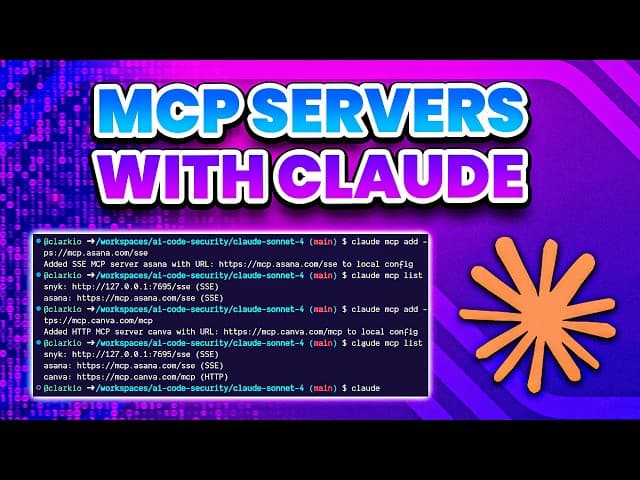
While this skill works standalone, many finance workflows benefit from MCP servers. This tutorial shows how to set up MCP servers in Claude Code CLI for enhanced data access and analysis capabilities.
8. Awesome Agent Skills for building a custom quant analyst toolkit
Source: VoltAgent/awesome-agent-skills Stars: 6,532 License: MIT Last Updated: February 2026 Verified SKILL.md: Yes (300+ skills from official dev teams and community)
This is a comprehensive catalog of Agent Skills compatible with Claude Code, Codex, Antigravity, Gemini CLI, Cursor, and other platforms. While not finance-specific, it includes a specialized quant analyst agent and serves as a valuable discovery tool.
The repository includes a dedicated quantitative analyst agent that helps with:
Strategy development: Research and design trading strategies, market analysis, data analysis, pattern identification, model selection, risk assessment, and backtesting design.
Risk analytics: Value at Risk (VaR), Conditional VaR, maximum drawdown, correlation analysis, beta calculations, and portfolio stress testing.
Performance analysis: Regime analysis, sensitivity testing, Monte Carlo validation, walk-forward optimization, and live performance tracking.
What makes this catalog valuable
Skill discovery: Browse 300+ skills by category (DevOps, security, ML, data, API, specialized domains). Find skills you did not know existed, compare similar skills from different authors, and discover complementary skills for your workflow.
Quality indicators: Star counts, last update dates, license information, and verified SKILL.md status help you evaluate quality.
Cross-platform compatibility: All skills follow the Agent Skills specification, meaning they work across multiple AI coding tools, not just Claude.
Installation and usage
Who this is for: Anyone building a personalized Claude Skills toolkit for quantitative finance. Treat this as a skill marketplace where you can find complementary tools to enhance your workflow.
Installation
Use this repository as a starting point for discovering finance-adjacent skills:
Python/data analysis skills applicable to quantitative finance
Statistical modeling skills for research
Visualization skills for presenting findings
API integration skills for market data sources
DevOps skills for deploying trading systems
Related Snyk resources:
Security risks in the Claude Skills ecosystem (And how to mitigate them)
There is an irony in using AI skills to improve your financial analysis workflow while the skills ecosystem itself has security risks. Snyk's ToxicSkills study found that 13% of skills tested contained critical security flaws, and some actively attempted to exfiltrate credentials. The SKILL.md to Shell Access research demonstrated how three lines of markdown in a skill file can grant an attacker shell access to your machine.
This matters even more in finance, where you might be working with:
Proprietary trading algorithms
Non-public market data
Client portfolio information
API keys for brokerage accounts
Internal financial models
Before installing any skill:
Read the
SKILL.mdand any bundled scripts. Skills are markdown and shell scripts, not compiled binaries. You can read every line.Check the source. Skills from established organizations (Anthropic, K-Dense) and well-known developers carry lower risk.
Review permissions. The
allowed-toolsfrontmatter field shows what tools a skill can use. A skill that needsBashaccess warrants more scrutiny than one that only usesReadandGrep.Use Snyk to scan. If you are already using Snyk Code or the Snyk MCP integration, you can scan skill scripts the same way you scan any code.
Isolate sensitive operations. Consider using separate Claude Code instances or profiles for work involving sensitive financial data versus general development.
The skills on this list are from reputable sources with clear licensing. But the general principle applies: trust, then verify.
Related Snyk Resources:
Building a quant workflow with Claude Skills
Claude Skills sit in a sweet spot for quantitative developers. They are more structured than "just a prompt" but require less overhead than running full MCP servers or building custom integrations. The financial modeling skills from Anthropic alone could save dozens of hours per month for analysts building valuation models. The K-Dense scientific skills collection brings institutional-grade statistical analysis to your terminal. The equity research plugin generates investment theses that would take hours to compile manually.
The quantitative finance community's embrace of AI tooling is not about replacing mathematical expertise or domain knowledge. It is about removing friction from the tasks that quants already know how to do but find tedious: writing boilerplate pandas code, setting up Excel formulas, debugging data pipeline errors, and formatting analysis reports. Skills formalize that delegation.
If you are already using Claude Code for quantitative work, installing a few of these skills is a 5-minute investment that pays off the first time Claude builds a working DCF model with proper WACC calculations, generates a backtesting framework with realistic slippage modeling, or produces a correlation heatmap for 50 stocks without you having to debug matplotlib formatting.
If you are looking for MCP servers for data analysis instead of Claude Skills, see our 11 Data Science MCP Servers for Sourcing, Analyzing, and Visualizing Data.
EBOOK
Securing the MCP Servers Ecosystem
Explore emerging attack paths and unpack real-world incidents to show how to defend against them with practical, flow-aware strategies.