プロトタイプ汚染は、攻撃者がオブジェクトのプロトタイプに悪意のある可能性があるプロパティを追加できるJavaScriptの脆弱性です。ユーザー定義オブジェクトがこれらのプロトタイプを継承すると、さまざまな後続攻撃が可能になります。
この記事では、プロトタイプ汚染とは何か、どのように発生するのか、どのような攻撃につながるのか、そしてそれらを防ぐ方法について説明します。また、Snykのツールを使って、コードや依存関係にあるこの脆弱性を検出し、対処する方法も紹介します。
JavaScriptのプロトタイプとは
JavaScriptでは、プロトタイプベースの継承と呼ばれる仕組みが使われています。プロトタイプは、同じ型のすべての変数で共有されるプロパティと関数を持つオブジェクトです。JavaScriptで変数を宣言すると、1つ以上のプロトタイプに自動的にアクセスできるようになります。
たとえば、数値変数 const one = 1 を定義すると、数値のプロトタイプにある toExponential() 関数にアクセスできます。数値のプロトタイプには、さらにプロトタイプとしてオブジェクトプロトタイプがあります。そのため、数値を扱っている場合でも、hasOwnProperty() にアクセスできます。これは、数値のプロトタイプによって上書きされていない、オブジェクトプロトタイプ上で定義された関数です。
数値変数のプロトタイプが別のプロトタイプに連なる関係は、プロトタイプチェーンと呼ばれます。すべての型のプロトタイプチェーンは、最終的にオブジェクトプロトタイプにつながっています。
ほとんどの言語では継承関係はコンパイル時に固定されますが、JavaScriptでは実行時に更新できます。
任意の変数のプロトタイプにプロパティや関数を追加すると、そのプロパティや関数はアプリケーション内の同じ型のすべての変数で利用できるようになります。更新前に作成された変数も、更新後に作成された変数も対象です。
継承チェーンの最上位にあるオブジェクトプロトタイプにプロパティや関数を追加すると、上書きされない限り、ほかのすべての変数で利用できるようになります。
たとえば、次のようなシンプルなJavaScriptオブジェクトがあるとします。
このオブジェクトのプロトタイプを確認するには、__proto__ キーワードを使います。
次のコードを使うと、空のオブジェクトをもう1つ作成し、そのプロトタイプにプロパティを追加できます。
この2つのオブジェクトのプロトタイプをログに出力すると、どうなるでしょうか。次のコードを見てください。
どちらの console.log() の出力も同じです。
2つ目のオブジェクトのプロトタイプに追加した customProperty は、1つ目のオブジェクトのプロトタイプにも表示されます。これはアプリケーション内のすべてのオブジェクトで共有されます。
次のように3つ目の空のオブジェクトを追加し、そのプロトタイプを確認するには、次のコードを使います。
ここにも customProperty があることがわかります。
オブジェクトに独自のプロパティを定義すると、そのプロパティが使われます。
一方、オブジェクト自身に定義されていないプロパティを使うと、JavaScriptランタイムはオブジェクトのプロトタイプチェーンをたどってプロパティを探し、それを使用します。
JavaScriptのプロトタイプ汚染とは
プロトタイプ汚染は、攻撃者がJavaScriptアプリケーションのプロトタイプに悪意のあるプロパティや関数を注入できる脆弱性です。ただし、プロトタイプ汚染自体は攻撃ではなく、さまざまな攻撃を可能にするものです。オブジェクトプロトタイプは、プロトタイプ汚染攻撃の最も一般的な標的です。ここに悪意のあるコードを仕込むと、攻撃者が最大限の範囲に影響を及ぼせるためです。
サーバーサイドとクライアントサイドのどちらのJavaScriptコードも、プロトタイプ汚染攻撃に対して脆弱な可能性があります。サーバーでは、プロトタイプ汚染によって権限昇格、サービス拒否、リモートコード実行が可能になることがあります。クライアント側では、プロトタイプ汚染がDOM XSSにつながるおそれがあります。
この脆弱性は、JavaScriptで書かれたアプリケーションや、TypeScriptをはじめとするJavaScriptにコンパイルされる言語で書かれたアプリケーションで発生する可能性があります。また、コードや依存関係にも潜んでいることがあり、Lodash、collection.js、jQueryなどの人気ライブラリの一部のバージョンにも存在します。
攻撃者が侵入し、実行中のJavaScriptアプリケーションのオブジェクトプロトタイプに次のプロパティを定義できたとします。
攻撃者はその後、アプリケーションのコードを調べ、十分に保護されていないアクセスレベルのチェックを探します。チェックが現在のユーザーを表すJavaScriptオブジェクトに依存していて、そのオブジェクトに isAdmin: false プロパティがない場合、ランタイムはプロトタイプにある isAdmin: true を見つけます。すると攻撃者は簡単に権限を昇格させ、アプリケーションの制限された領域にアクセスできてしまいます。
プロトタイプ汚染は、プロトタイプに新しいプロパティを定義するだけではありません。攻撃者は、プロトタイプにすでに存在する関数を上書きすることもできます。たとえば、オブジェクトプロトタイプの toString() 関数を再帰呼び出しに上書きできたとします。
この状態では、オブジェクトに対する最初の toString() 呼び出しや、テンプレート文字列内でオブジェクトを展開するだけで、RangeError: Maximum call stack size exceeded error が発生し、ホストプロセスが停止します。
攻撃者がプロトタイプを汚染する一般的な方法の1つは、アプリケーションコードやライブラリにある、安全でない再帰的なプロパティマージ処理を利用することです。
プロトタイプ汚染の実例
Node.jsでプロトタイプ汚染がどのように機能するかを理解するため、サンプルアプリケーションで試してみましょう。インメモリのMongoDBデータベースといくつかのエンドポイントを備えたExpressアプリケーションを使います。
一緒に試す場合は、このリポジトリをクローンしてください。クローンしたら、依存関係を復元してアプリケーションを起動します。
ブラウザーで http://localhost:8080/todos/ を開くか、お好みのHTTPクライアントから http://localhost:8080/todos/ にGETリクエストを送信してください。3件のToDo項目を含む配列が返されます。
クローンしたリポジトリで database/seed.js を開くと、アプリケーションのデータベースには3件ではなく4件のToDo項目が登録されていることがわかります。
初期データのToDo項目のうち3件は明示的に表示設定されていますが、1件は設定されていないため、デフォルトでは非表示です。server.js を開き、GETリクエストを処理するエンドポイントを見ると、表示対象のToDo項目だけを返すことがわかります。
新しいToDo項目を追加するには、別のエンドポイントを使います。次のPOSTリクエストを http://localhost:8080/todos/add: に送信してください。
コマンドラインから次のcurlリクエストを使って、新しいToDo項目を作成できます。
もう一度 http://localhost:8080/todos/ にGETリクエストを送信してください。次の結果が返されます。
最初は表示されるToDo項目が3件ありました。1件追加したので、合計は4件のはずです。しかし、5件になっています。非表示にするはずだったToDo項目が表示されています。
新しいToDo項目を追加するエンドポイントで何が起きているのか見てみましょう。
アプリケーションはPOSTリクエストの本文(JSONオブジェクト)を解析し、新しいToDo項目を作成する際のベースとなる defaults オブジェクトにマージします。このマージには、脆弱性のあるバージョンのLodashに含まれる merge() メソッドを使用しています。その結果、オブジェクトプロトタイプを操作するリクエストの悪意ある部分もそのままマージされ、処理の途中で Object.__proto__.visible がtrueに設定されます。
その結果、独自の visible プロパティを明示的に宣言していない既存および今後のオブジェクトは、プロトタイプからこのプロパティを取得するようになります。アプリケーションはGETリクエストの処理時にデータベースを検索し、表示対象のToDoメモだけを取得するためのフィルターを使います。
フィルターの評価時に、非表示のToDo項目には独自の visible: false プロパティがないことがわかります。
しかし、プロトタイプには visible: true が設定されています。プロトタイプのプロパティ値が使われるため、非表示にするはずだった既存のToDo項目が意図せず漏えいします。さらに、悪意あるリクエストで追加されたToDo項目にも visible: true が設定されていないにもかかわらず、表示されてしまいます。
プロトタイプ汚染の脆弱性を防ぐ
先ほどのサンプルアプリケーションでは、Lodashを新しいバージョンにアップグレードするだけで脆弱性を修正できます。ただし、プロトタイプ汚染を回避する方法はほかにもあります。特に、ライブラリ由来のコードではなく、自分のコードを確認する際に知っておくべき対策です。
プロパティキーをサニタイズする
最もわかりやすい対策は、マージする前にキーが安全かどうかを確認することです。
ただし、拒否リストの管理は理想的ではありません。この保護を回避する既知の方法があるためです。
許可するプロパティキーの許可リストを管理するほうが有効です。
オブジェクトの代わりにMapを使う
JavaScriptには、キーと値のペアを保存するための別のオブジェクトとして Map が用意されています。多くの点でオブジェクトに似ていますが、大きな違いの1つは、Mapの get() 関数で取得できるのは、明示的にMapに追加した値だけという点です。オブジェクトプロトタイプに追加された悪意ある項目にアクセスすることはありません。
Object.freeze()またはObject.seal()で変更を防ぐ
JavaScriptには、オブジェクトへの変更を制限する組み込み関数が2つあります。Object.freeze() と Object.seal() です。オブジェクトプロトタイプ自体もオブジェクトなので、これらの関数を使えます。
プロトタイプ汚染の防止には、Object.freeze() が適しています。オブジェクトへの新しいプロパティの追加と既存プロパティの変更の両方を禁止するためです。
Object.seal() は新しいプロパティの追加のみを防ぎ、既存プロパティの更新は許可します。そのため、Object.seal() を使っても、toString() などのオブジェクトプロトタイプの関数を上書きすることで、プロトタイプ汚染が起きる余地があります。
Snykのnoppパッケージを使う
オブジェクトを凍結する仕組みをさらに発展させたものが、Snykのnoppパッケージです。JavaScriptの組み込みオブジェクトの一部に Object.freeze() を適用します。アプリケーションの初期化の最後に使うと、正当なプロトタイプの変更は許可しつつ、アプリケーションの実行中に悪意あるプロトタイプ汚染を防げます。
先ほどのサンプルExpressアプリケーションに nopp を導入するには、インストールするだけです。
そして server.js の最後のimport文として追加します。
nopp を導入すると、サンプルアプリケーションが脆弱なバージョンのLodashを使い続けていても、権限昇格につながるプロトタイプ汚染を緩和できます。
Snyk IDE拡張機能でプロトタイプ汚染の脆弱性を検出する
プロトタイプ汚染を含め、脆弱性は早期に検出できれば修正も容易になります。コードエディターでセキュリティ上の問題の可能性を指摘するツールがあれば、安全なJavaScriptコードのリリースに大いに役立ちます。
このようなツールに興味があれば、Visual Studio Code用Snyk Security拡張機能をインストールしてみてください。(WebStormなどのJetBrains IDEをお使いの場合も、対応する拡張機能があります。)
Snyk拡張機能は、JavaScriptのコードやライブラリに含まれるプロトタイプ汚染などの脆弱性の可能性を特定し、強調表示します。検出された脆弱性ごとに、さまざまなオープンソースプロジェクトで同様の問題がどのように修正されたかを確認できます。
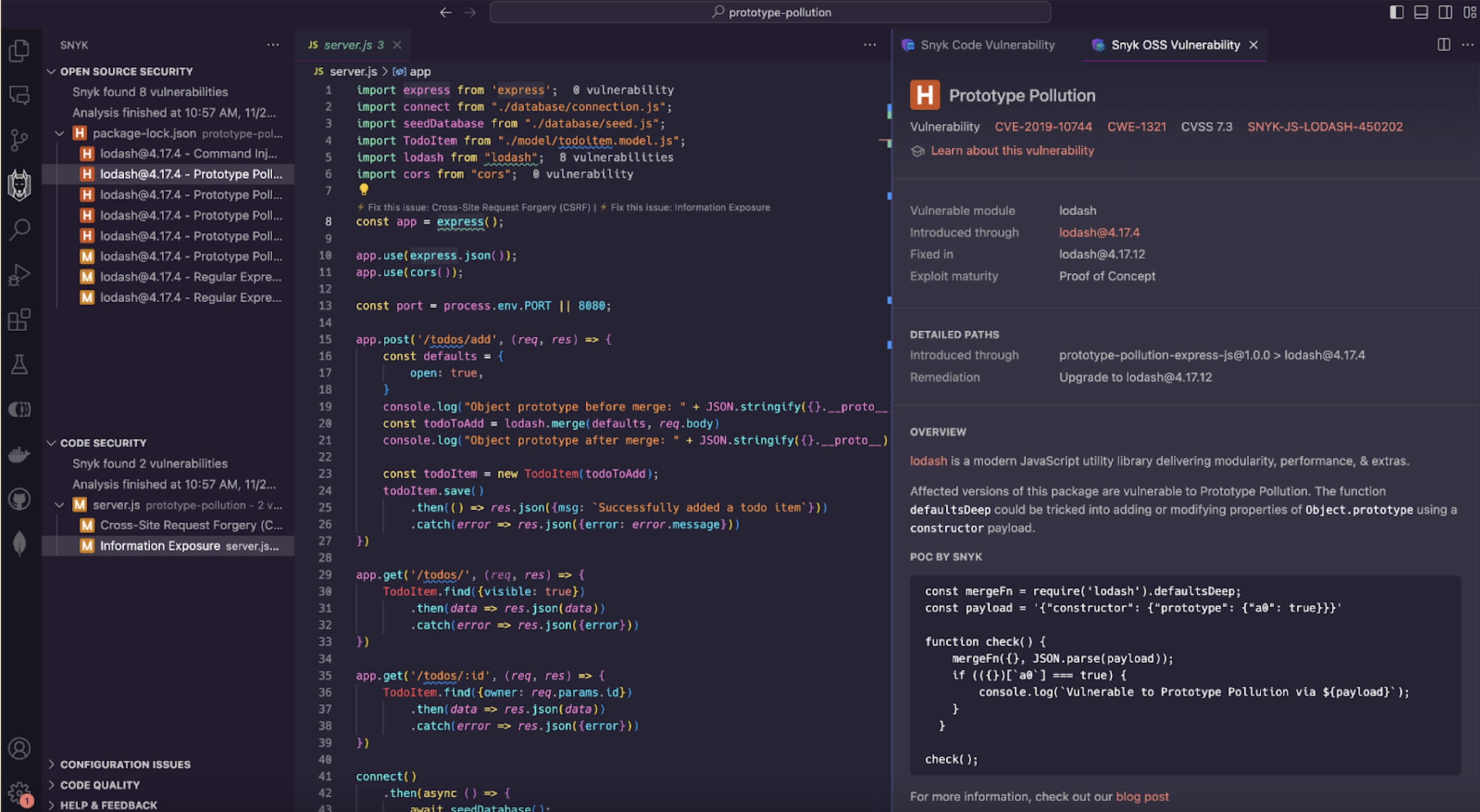
以下は、Snyk VS Code IDE拡張機能の動作画面です。npmパッケージのlodashに含まれるプロトタイプ汚染、正規表現によるサービス拒否、コマンドインジェクションなど、複数の脆弱性を検出しています。
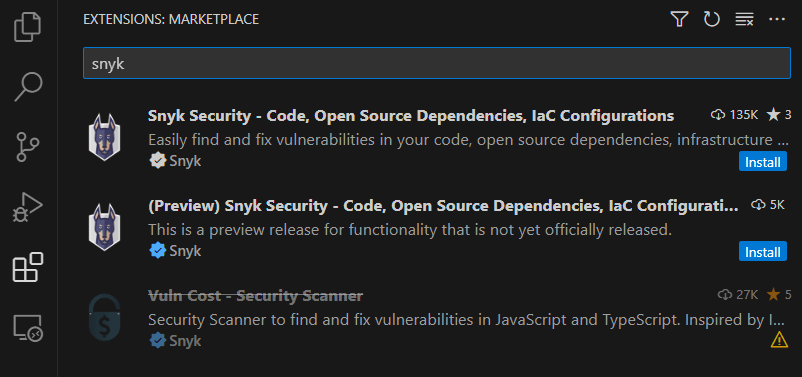
Visual Studio Codeの拡張機能パネルで「snyk」と検索して、Snyk拡張機能をインストールします。
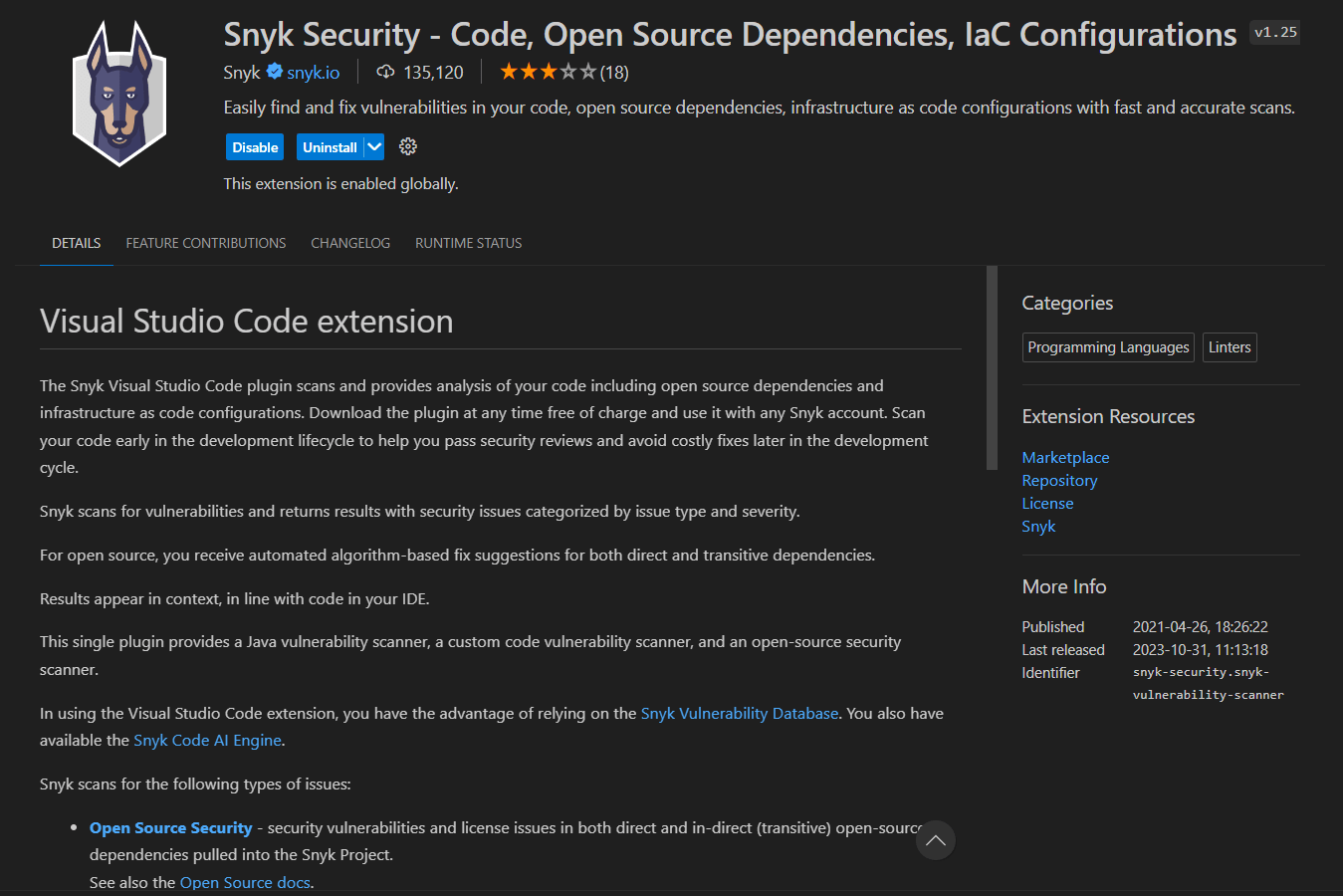
「Snyk Security - Code, Open Source Dependencies, IaC Configurations」という拡張機能をインストールします。
Snyk拡張機能と一緒にSnyk CLIもインストールされます。以降、Snykの検査を実行するにはSnyk CLIが必要です。
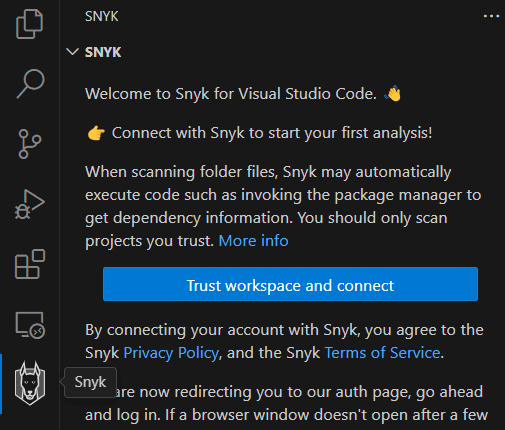
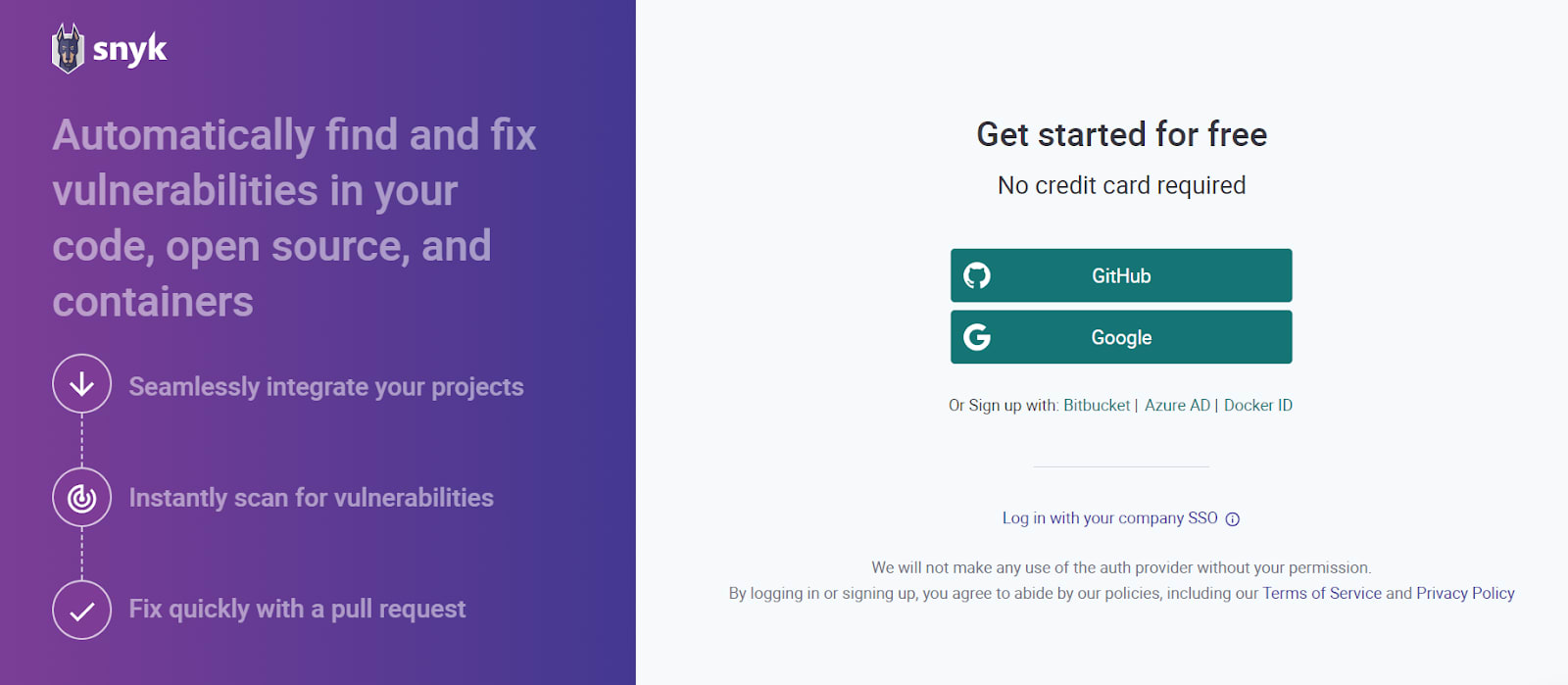
Visual Studio Codeの左側のメニューバーにあるSnykアイコンをクリックし、Snykペインで「Trust workspace and connect」をクリックします。
Snykによってブラウザーウィンドウが開きます。Snykアカウントにログインするか、新しく作成してください。
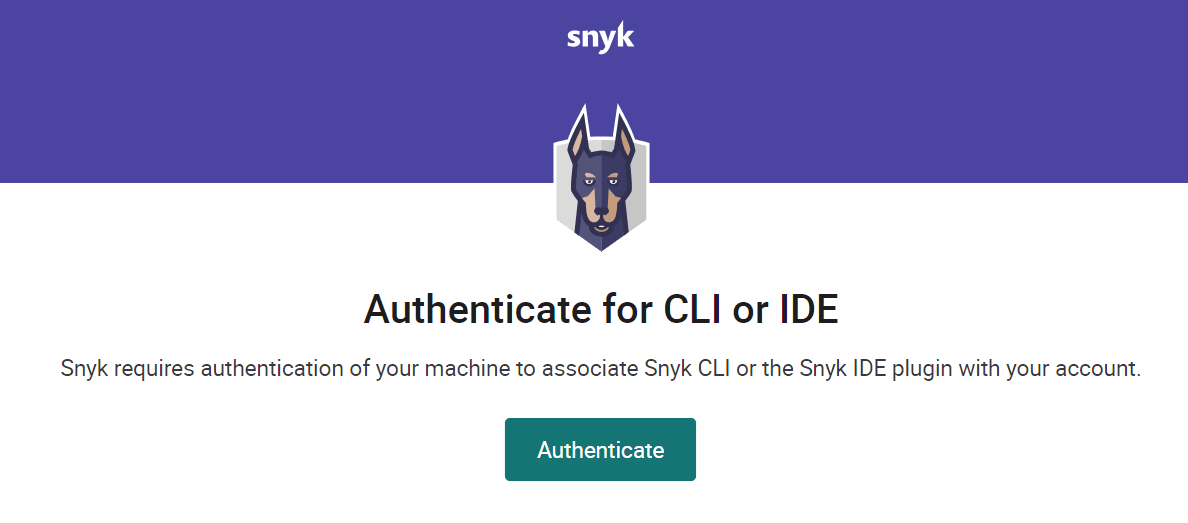
ログインすると、ローカルのSnyk CLIをSnykアカウントに関連付けるため、Snykがマシンを認証します。
「Authenticate」をクリックすると、SnykのWebアプリケーションで認証が正常に完了したことを確認できます。
ブラウザーウィンドウを閉じて、Visual Studio Codeに戻ります。ワークスペースまたはフォルダーを開くと、Snykが脆弱性の分析を開始します。
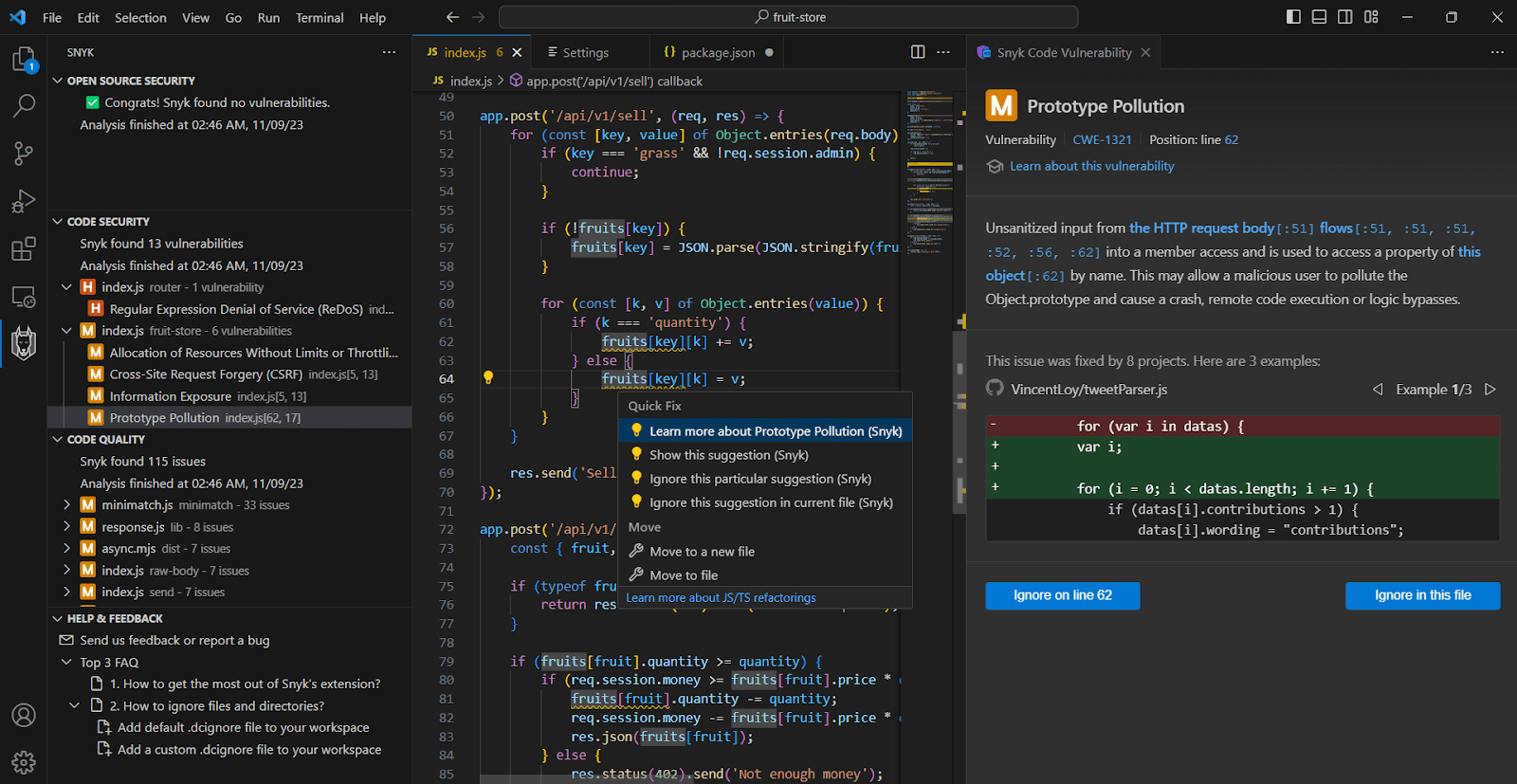
Snyk拡張機能でプロジェクトを分析すると、Visual Studio Codeは次のように表示されます。
左側の「SNYK」ペインには、プロトタイプ汚染、正規表現サービス拒否(ReDoS)、クロスサイトリクエストフォージェリ(CSRF)、情報漏えいなど、検出されたセキュリティとコード品質の問題が一覧表示されます。
「Editor」タブでは、影響を受けるコードの文に下線が表示されます。Ctrl + .(MacではCmd + .)を押すと、関連するクイックアクションのメニューが表示されます。別のペインでは、Snyk拡張機能が検出された脆弱性の概要を示し、さまざまなオープンソースプロジェクトで同様の脆弱性に対処した例を紹介します。
JavaScriptの柔軟性には代償が伴います。プロトタイプ汚染は、開発者がコードのセキュリティ対策を適切に行わなければ、JavaScriptがいかに簡単に悪用されるかを示す好例です。
アプリケーションセキュリティを学ぶには、実際に手を動かしてコーディングするのが最適です。インタラクティブなコード例を使って学べるSnyk Learnのプロトタイプ汚染に関するレッスンをお見逃しなく。
Snyk Security IDE拡張機能を使えば、お気に入りのコードエディターを離れることなく、プロトタイプ汚染などの脆弱性を早期に検出できます。
JavaScriptの安全性の高い機能とスマートな開発者ツールを活用して、安全なJavaScriptコードをリリースし、コストのかかるセキュリティインシデントを回避しましょう。
JavaScriptアプリのセキュリティ対策を始めましょう
Snykを無料で利用して、JavaScriptの脆弱性を検出・修正しましょう。
クレジットカードは不要です。
またはAzure AD Docker ID Bitbucketで登録
Snykを利用することで、利用規約およびプライバシーポリシーを含む当社の各種ポリシーに同意したものとみなされます。