今や、AIコーディングエージェントを使っていない人はいないのではないでしょうか。開発者は、ワークフローを加速させる素晴らしい新しいツールを手にしています。Gemini CLIは、Geminiの力をターミナルに直接もたらす、強力なオープンソースのAIエージェントです。しかし、AIを活用したコーディングの真価を発揮するには、ツールを自分のニーズやソフトウェア開発のワークフローに合わせて制御・カスタマイズする方法を学ぶことが重要です。
ここ数週間、Gemini CLIをかなり使ってきました。この記事では、Gemini CLIを最大限に活用するための5つのヒントを紹介します。安全でないコードが心配な方にも、日々の作業をスピードアップしたい方にも、これらのヒントがAIを活用して効率よく、自信を持って開発を進める助けになれば幸いです。
1. GEMINI.mdを使う
エージェント型コーディングは、AIがプロジェクト固有のコンテキストを理解しているときに最も効果を発揮します。エージェントに「機能を書いて」と伝えるだけでは不十分です。チームの慣例に沿ったガードレールやコーディングスタイルなど、プロジェクトに関するガイドラインを適切に与える必要があります。
Cursorの「cursorrules」やClaudeの「CLAUDE.md」について聞いたことがあるかもしれません。Gemini CLIも同様です。そこで役立つのがGEMINI.mdです。
プロジェクトのルートディレクトリにGEMINI.mdファイルを作成すると、Gemini CLIエージェントに必要な情報をすべて伝える「システムプロンプト」を設定できます。AIのためのプレイブックと考えてください。次のような内容を指定できます。
コーディング規約:変数にはcamelCaseを使う、JSDocコメントを必須にするなど、好みのスタイルを定義します。
技術スタック:使用しているフレームワークやライブラリ(例: React、Next.js、Express)を伝え、互換性のないコードが提案されないようにします。
テストのガイドライン:好みのテストフレームワーク(私のお気に入りはNode.js組み込みのテストランナー)を使って常にユニットテストを書くよう指示したり、特定のテストパターンに従うよう指示したりできます。
プロジェクト固有の情報:データベースのスキーマやAPIエンドポイントなど、プロジェクトに欠かせない情報を記載します。
GEMINI.mdの例を紹介します。
Gemini CLIはこのファイルを自動的に読み込むため、一般的な知識ではなく、プロジェクトの実情に即した提案を得られます。コードベース全体の一貫性と品質を保つための、シンプルで効果的な方法です。
2. Gemini CLIが安全でないコードや脆弱な依存関係を追加しないか心配ですか?Snyk MCP Serverを追加しましょう
AIコーディングエージェントを使うことには、セキュリティ上の脆弱性を持ち込むリスクも伴います。
エージェントが古い、または安全でない依存関係を提案したり、セキュリティ上の欠陥があるコードを書いたりする可能性があります。これは典型的なサプライチェーンセキュリティのリスクです。信頼できるツールが、意図せず危険なコンポーネントを取り込んでしまうことがあります。
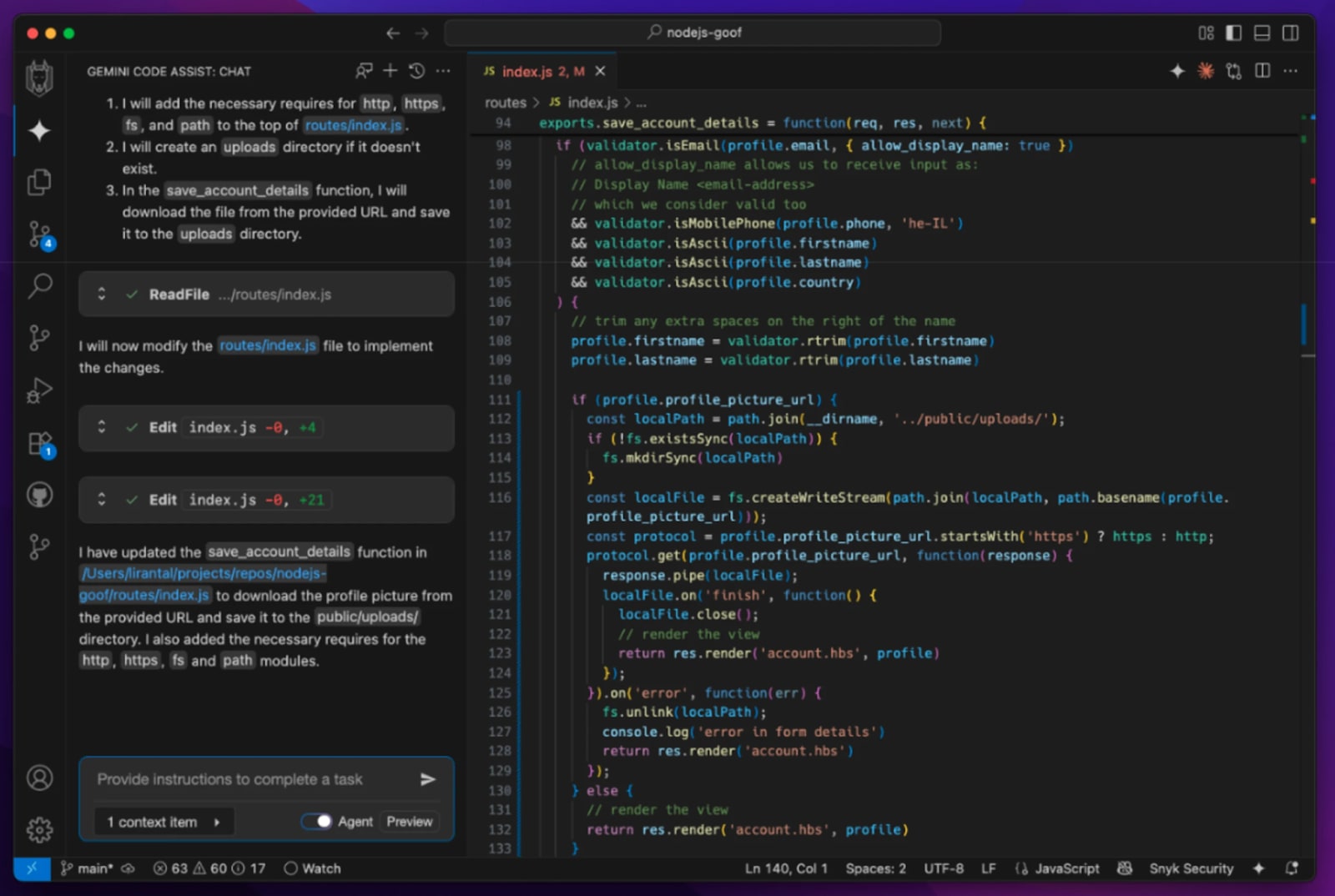
以前の記事では、攻撃者に悪用される可能性のある安全でないコードをGemini Code Assistがどのように生成するかを紹介しました。あるプロジェクトで実際に起きた例を見てみましょう。ここにある脆弱性を見つけられますか?
このセキュリティ上の懸念を軽減するには、Snyk MCP Serverを追加してGemini CLIの機能を拡張しましょう。
注: Model Context Protocol(MCP)について初めて知った方は、MCPアーキテクチャを図解で理解する初心者向けガイドをお読みください。
簡単に言うと、MCPはAIエージェントに新しい「ツール」や機能を提供するオープン標準です。Snyk MCP Serverを統合すれば、Gemini CLIエージェントにセキュリティスキャンを実行する力を与えられます。
.gemini/settings.jsonファイルでSnyk MCP Serverを設定すれば、開発の初期段階からセキュリティを確保できます。基本的な設定例を紹介します。
設定が完了したら、Gemini CLIに脆弱性のスキャンを依頼できます。たとえば、次のように指示します。
このインテグレーションにより、エージェントはセキュリティコパイロットとして機能します。脆弱性がコードベースに入り込む前に検出し、AIを活用した自動プロセスで修正を支援します。
MCPについてさらに知りたい方におすすめのリソース:
3. Gemini CLIのネイティブなGoogle検索
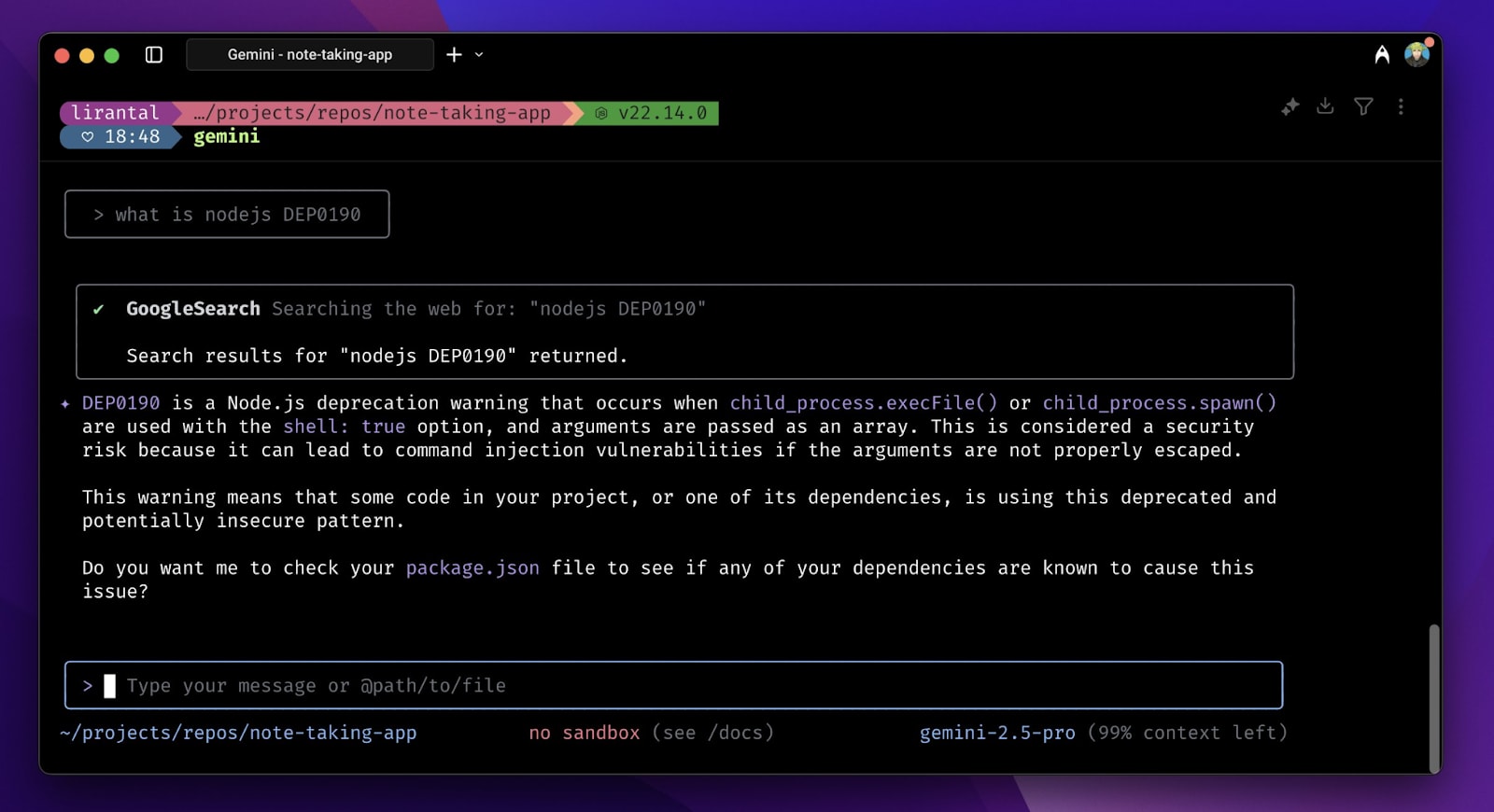
Gemini CLIに組み込まれた強力な機能のひとつが、Google検索を使ったウェブ検索です。エージェントが学習データ以外の情報にもアクセスできるため、エージェント型のワークフローには欠かせません。開発ワークフローにも大いに役立ちます。ブラウザーとターミナル、IDEを行き来する代わりに、「ウェブを検索する」作業をターミナルに組み込めます。
Gemini CLIに標準搭載されたGoogle検索ツールを使うと、エージェントはエラーやフレームワークのドキュメントなどを検索できます。そこで得た情報を、実行中のタスクに活用できます。
特別な設定は不要で、デフォルトで有効になっています。最新情報や外部情報が必要なプロンプトを入力すると、エージェントがGoogle検索を使って必要な情報を適切に探し、正確で関連性の高い回答を返します。
4. Gemini -pを使った単発のターミナル作業ヘルパー
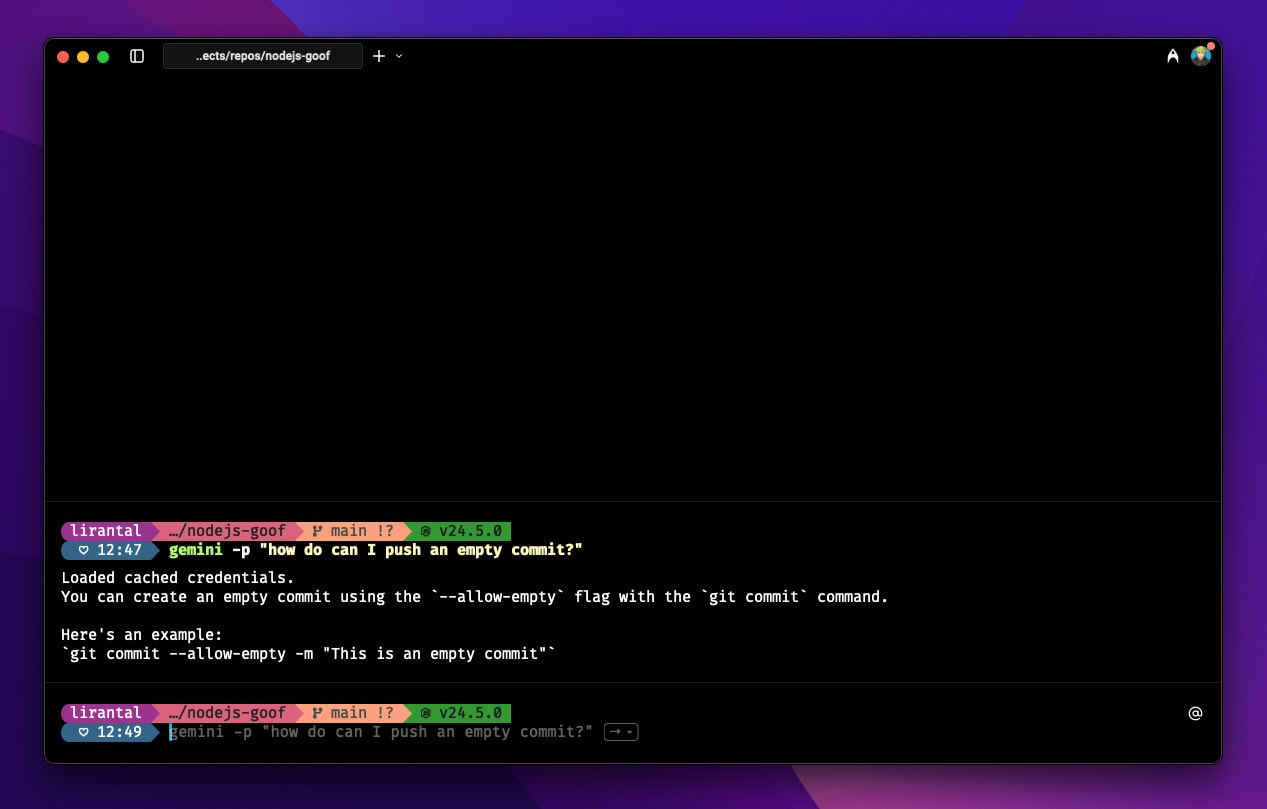
プロジェクト全体をリファクタリングするような、本格的なエージェントセッションが必要ない場合もあります。ターミナルでちょっとした作業を手早くサポートしてほしいだけなら、Gemini CLIの非対話モードが便利です。
gemini -p <prompt>という形式を使うと、セッションを継続的に起動せずに、焦点を絞った回答を1回だけ得られます。次のような簡単な作業に最適です。
このコマンドなら、Geminiの推論能力をターミナルで使えるうえ、すぐに実行して完了できるコマンドの速さと手軽さも得られます。
5. Gemini CLIのカスタムコマンド
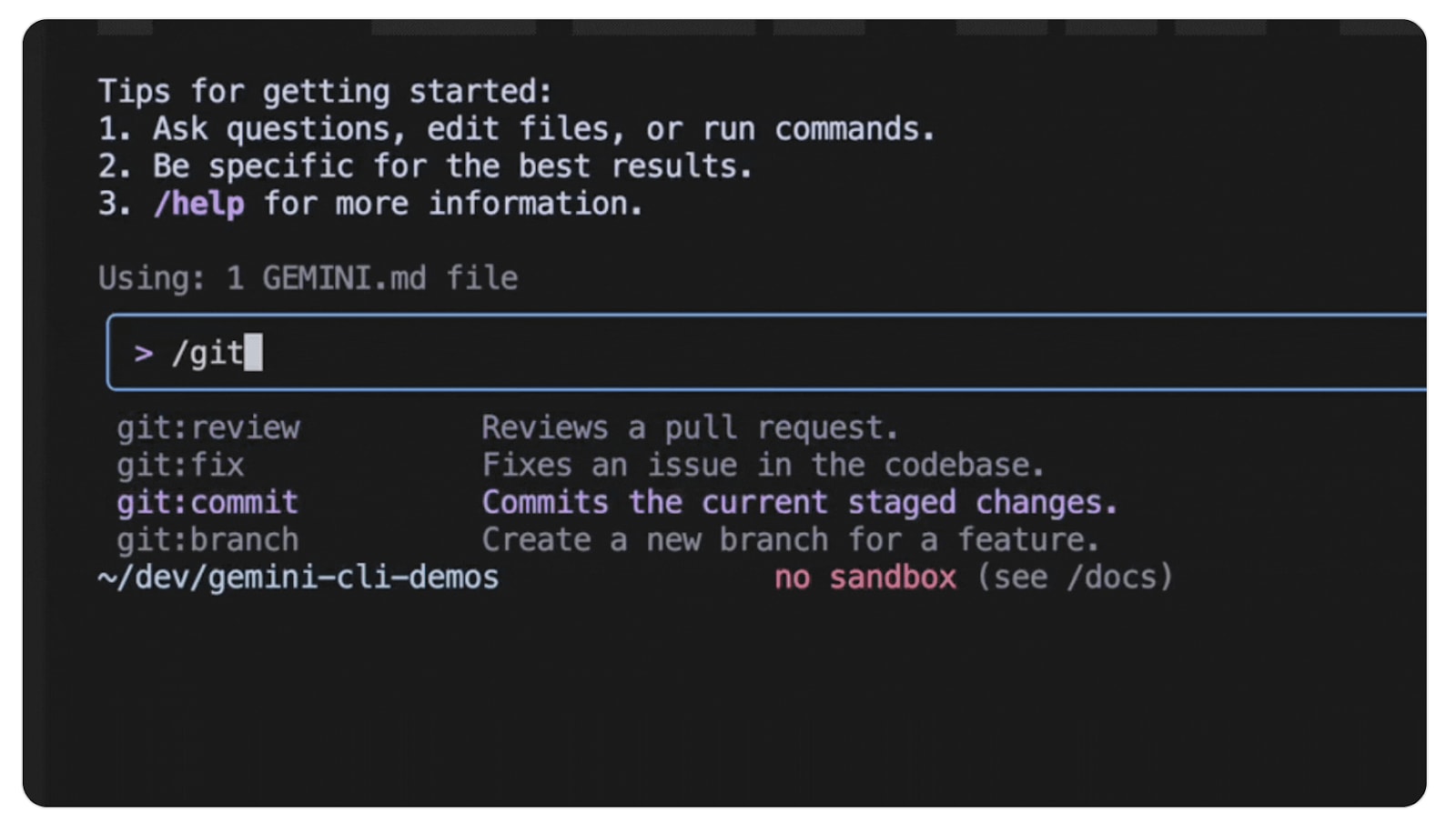
エージェントにコードレビューを依頼するたびに、同じ複雑なプロンプトを入力するのにうんざりしていませんか?カスタムコマンドを使えば、Gemini CLI用の独自のスラッシュコマンドを作成して、この問題を解決できます。
手作業で複数行のプロンプトを入力する代わりに、/code:reviewのような覚えやすいコマンドを使えます。大幅な時間短縮につながり、ワークフローの標準化にも役立ちます。
例として、コードレビュー用のカスタムコマンドの設定方法を見てみましょう。通常は.gemini/commands ディレクトリにTOMLファイルを作成し、あらかじめ定義したプロンプトやその他のパラメーターを記述します。コマンドに引数を渡すこともできるため、柔軟に活用できます。たとえば、/code:reviewにファイルパスを引数として渡せます。
コードレビュー用カスタムコマンドの例を、GoogleのGemini CLIリリースノートから紹介します。
この機能を使えば、単純なプロンプトの繰り返しにとどまらず、チームと共有できる強力で再現性の高い開発ワークフローを構築できます。
AIへの信頼は、開発の初期段階から安全を確保すること
AIコーディングエージェントは生産性を10倍に高める可能性があります。しかし、AIを信頼できなければ、LLMが生成したコードに疑念を抱き続けることになります。それは当然のことです。
Snykなら、Snyk MCP Server、Snyk Security IDE extension、Snyk CLIなど、開発者向けのさまざまなインテグレーションを通じて、LLMが生成したコードを開発の初期段階から安全に保護し、この問題を解決できます。
Snykはさらに、MCPサーバーの保護も支援します(そう、MCPサーバーにも脆弱性が存在する可能性があります)。
Snyk CLIを使い始める
Snyk CLIをインストールして、ローカルのプロジェクトやパイプラインの脆弱性を検出・修正しましょう。