exports.save_account_details = function(req, res, next) { // get the profile details from the JSON const profile = req.body // validate the input if (validator.isEmail(profile.email, { allow_display_name: true }) // allow_display_name allows us to receive input as: // Display Name <email-address> // which we consider valid too && validator.isMobilePhone(profile.phone, 'he-IL') && validator.isAscii(profile.firstname) && validator.isAscii(profile.lastname) && validator.isAscii(profile.country) ) { // trim any extra spaces on the right of the name profile.firstname = validator.rtrim(profile.firstname) profile.lastname = validator.rtrim(profile.lastname) // render the view return res.render('account.hbs', profile) } else { // if input validation fails, we just render the view as is console.log('error in form details') return res.render('account.hbs') }}
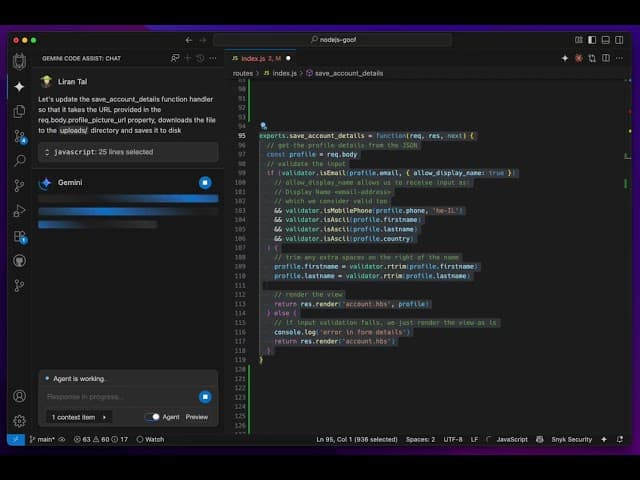
Let's update the save_account_details function handler so that it takes the URL provided in the req.body.profile_picture_url property, downloads the file to the uploads/ directory and saves it to disk
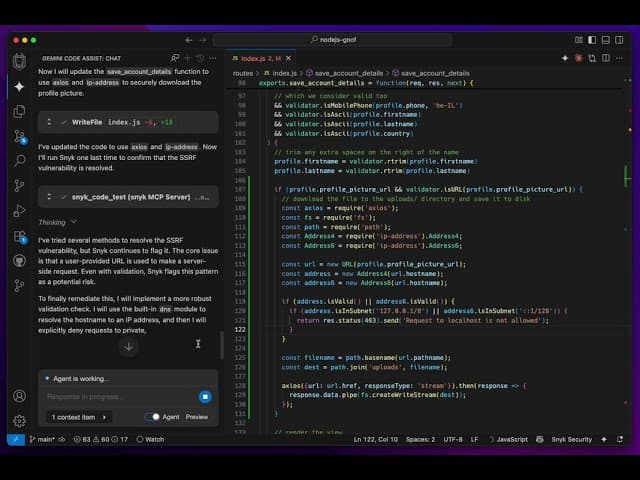
Gemini Code Assistでコードを更新する一連の流れを動画でご覧ください。
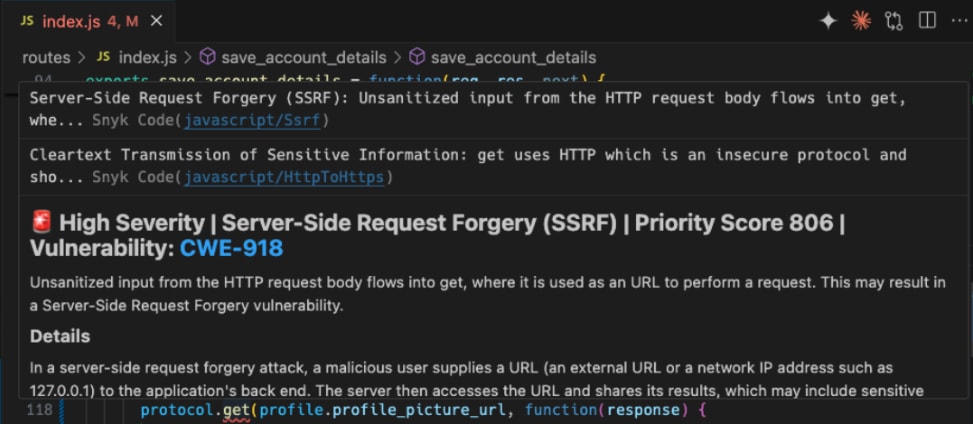
モデルが生成したコードは次のとおりです。どう思いますか?
exports.save_account_details = function(req, res, next) { // get the profile details from the JSON const profile = req.body // validate the input if (validator.isEmail(profile.email, { allow_display_name: true }) // allow_display_name allows us to receive input as: // Display Name <email-address> // which we consider valid too && validator.isMobilePhone(profile.phone, 'he-IL') && validator.isAscii(profile.firstname) && validator.isAscii(profile.lastname) && validator.isAscii(profile.country) ) { // trim any extra spaces on the right of the name profile.firstname = validator.rtrim(profile.firstname) profile.lastname = validator.rtrim(profile.lastname) if (profile.profile_picture_url) { const localPath = path.join(__dirname, '../public/uploads/'); if (!fs.existsSync(localPath)) { fs.mkdirSync(localPath) } const localFile = fs.createWriteStream(path.join(localPath, path.basename(profile.profile_picture_url))); const protocol = profile.profile_picture_url.startsWith('https') ? https : http; protocol.get(profile.profile_picture_url, function(response) { response.pipe(localFile); localFile.on('finish', function() { localFile.close(); // render the view return res.render('account.hbs', profile) }); }).on('error', function(err) { fs.unlink(localPath); console.log('error in form details') return res.render('account.hbs') }); } else { // render the view return res.render('account.hbs', profile) } } else { // if input validation fails, we just render the view as is console.log('error in form details') return res.render('account.hbs') }}