Top 8 Claude Skills for Developers

If you spend any time in r/ExperiencedDevs, r/programming, or on Hacker News, the conversation around AI coding tools has gone through a noticeable evolution. Two years ago, the dominant thread was "AI will replace us." A year ago, it was "these tools are overhyped." Now, in early 2026, the tone has settled into something more practical. Developers are sharing workflows, comparing agent configurations, and arguing about which context management strategy keeps Claude from going off the rails on large refactors.
The numbers reflect this shift. According to an analysis of developer forum activity, 78% of developers in coding-related subreddits now prefer Claude for programming tasks, citing the large context window and the quality of its code generation. On r/ClaudeAI and r/ClaudeCode, the conversations have moved past "is this useful?" and into the details: how to structure CLAUDE.md files, which skills to install for which workflow, and how to get Claude Code to follow project conventions consistently.
The practical energy is real. Developers are using Claude Code to plan multi-step features, run test suites, refactor legacy modules, and generate Terraform configurations. The common thread across these success stories is not that AI replaces the developer's judgment. It is that AI handles the parts of the job that were always tedious but necessary (scaffolding files, running static analysis, writing boilerplate tests, formatting commit messages) so the developer can focus on architecture, design, and the parts that actually require thought.
Snyk's Brian Clark walks through building an app with Claude Code, demonstrating the kind of AI-assisted development workflow that Claude Skills formalize and make repeatable.
Claude Skills are one of the most interesting mechanisms for turning these ad hoc workflows into something structured and reusable. If you have not encountered them yet, they are worth understanding.
What Are Claude Skills (And what are they not)?
The Claude ecosystem has several extension mechanisms, and they are easy to confuse. Here is a quick disambiguation:
CLAUDE.md files are persistent project memory. They load into every session and tell Claude things like "this project uses pytest" or "always use 2-space indentation." They are always-on context, not on-demand capabilities.
Custom slash commands (
.claude/commands/*.md) were simple prompt templates triggered by/command-name. They have been effectively merged into Skills. Skills that define anargument-hintin their frontmatter can be invoked as slash commands, while others activate contextually based on your task.MCP servers are running processes that expose tools and data sources via the Model Context Protocol. They let Claude call APIs, query databases, or interact with external services. They require a server process and code.
Claude connectors connect Claude to external services like Slack, Figma, or Asana via remote MCP servers with OAuth.
Claude apps refer to the platforms where Claude runs (Claude.ai, Claude Code, mobile, desktop), not extensions to Claude.
Plugins are bundles that package skills, agents, hooks, and MCP servers together for distribution.
Claude Skills are directories containing a SKILL.md file (with YAML frontmatter and markdown instructions) plus optional supporting files like scripts, templates, and reference docs. What makes them unique:
They are directories, not single files: A skill can bundle shell scripts, Python helpers, reference documentation, and asset files alongside its instructions.
Progressive disclosure: At startup, Claude loads only each skill's
nameanddescriptionfrom the YAML frontmatter (roughly 100 tokens per skill), similar to how MCP tool descriptions are injected into context. Claude matches your task against those descriptions to decide which skill to activate. When it finds a match, it loads the full SKILL.md instructions. Supporting files (references, scripts, assets) load only when explicitly needed during execution. This three-tier approach keeps your context window lean even with dozens of skills installed. It also means a skill'sdescriptionfield is critical: vague descriptions activate unreliably, while precise descriptions with explicit trigger phrases activate consistently.They can execute code: Skills can include scripts in
scripts/that Claude runs during execution, and they can use the!command`` syntax to inject dynamic output into the prompt context.They follow an open standard: The Agent Skills specification has been adopted by Claude Code, OpenAI Codex, Cursor, Gemini CLI, and others, making skills portable across tools.
They can register as slash commands: Skills that include an
argument-hintfield in their YAML frontmatter can be invoked directly as/skill-name. Skills without an argument hint activate contextually instead, meaning Claude picks them up automatically when your task matches their description.
The official specification and Anthropic's skills documentation cover the full format. The Anthropic engineering blog post on Agent Skills is also worth reading for the design rationale.
Installing a Claude Skill
Installing a skill takes about 30 seconds.
Project level (shared with your team via version control):
User level (personal, available across all projects):
Via plugins (for skill collections):
Skills at the project level are shared with teammates through source control. Skills at the user level are private to you. When names conflict, enterprise skills take precedence over personal skills, which take precedence over project skills.
One important caveat: the Agent Skills ecosystem is new and growing fast, which means supply chain security matters. Snyk's ToxicSkills research found prompt injection in 36% of skills tested and 1,467 malicious payloads across the ecosystem. Always review a skill's SKILL.md and any bundled scripts before installing. Treat skills the way you would treat any third-party code you run in your environment.
Building a Claude Skill? If you are creating or maintaining an open source Claude Skill or MCP server, the Snyk Secure Developer Program provides free enterprise-level security scanning for open source projects. Snyk secures 585,000+ open source projects and offers full enterprise access, Discord community support, and integration assistance to qualifying maintainers. Apply here if you have an existing project or here if you are starting a new one.
Now, onto the list. These eight skills cover the developer workflow from end to end: planning and task management, code implementation, testing, code review, web performance, infrastructure as code, and security.
# | Skill | Stars | Focus | Source |
|---|---|---|---|---|
1 | Planning with Files | 13,410 | Manus-style persistent task planning | |
2 | Web quality skills | 496 | Performance, Core Web Vitals, accessibility, SEO | |
3 | HashiCorp Agent Skills | 303 | Terraform code generation, testing, and modules | |
4 | Claude Code Skills (Delivery workflow) | 82 | Full SDLC from epic planning to quality gates | |
5 | Claude Agentic Framework (Core engineering) | 15 | TDD, debugging, refactoring, dependency mgmt | |
6 | GitHub PR review skill | 0 | Professional PR reviews with gh CLI | |
7 | Snyk Fix | 3 | Automated vulnerability remediation | |
8 | Snyk Learning Path | N/A | Tailored security learning paths |
1. Planning with Files (Manus-style task planning)
Source: OthmanAdi/planning-with-files Stars: 13,410 License: MIT Last Updated: February 2026 Verified SKILL.md: Yes
This is the most starred Claude Skill in the entire ecosystem, and for good reason. It solves one of the most common frustrations developers have with Claude Code: losing track of what it was doing halfway through a complex task.
The core insight is simple but powerful. Claude's context window is volatile RAM. The filesystem is persistent disk. Anything important should be written to disk. The skill creates three markdown files in your project directory (task_plan.md, findings.md, progress.md) that serve as Claude's "working memory on disk," implementing the same persistent planning pattern that made Manus AI's workflow famous.
What it does
When you start a complex task, the skill creates a structured plan with phases, progress tracking, and a findings log. It enforces five critical rules:
Create plan first. Never start a complex task without
task_plan.md.The 2-action rule. After every two search, view, or browse operations, save key findings to disk immediately.
Read before decide. Re-read the plan file before any major decision to keep goals in the attention window.
Update after act. Mark phases complete, log errors, note files created.
Never repeat failures. Track what was tried and mutate the approach.
The skill also includes a 3-strike error protocol (diagnose, try alternative, rethink, then escalate to the user) and session recovery via a Python script that catches up on context after /clear or a new session.
Why this matters for developers
If you have ever asked Claude to refactor a module, come back 10 minutes later, and found it had forgotten the original goal and was fixing something unrelated, this skill solves that. The persistent planning files keep Claude anchored to the task plan even across long sessions with many tool calls.
The skill ships as a plugin with support for Claude Code, Cursor, OpenAI Codex, Gemini CLI, and several other platforms. It includes templates, helper scripts, and hooks that automatically check plan status before and after file operations.
Installation
Usage
The skill activates automatically when Claude detects a complex multi-step task (anything requiring more than five tool calls). You can also invoke it directly:
Who this is for: Any developer using Claude Code for tasks that take more than a few minutes. Install it at the user level and it works across all your projects.
2. Web Quality Skills (Performance, core web vitals, accessibility, SEO)
Source: addyosmani/web-quality-skills Stars: 496 Author: Addy Osmani License: MIT Last Updated: January 2026 Verified SKILL.md: Yes (6 SKILL.md files across skill directories)
Addy Osmani is a name most web developers recognize. As a Chrome engineering lead and author of books on JavaScript design patterns, his perspective on web quality carries weight. This skill collection packages that expertise into six Claude Skills covering the full spectrum of web quality optimization.
The Six Skills
Skill | Focus | Trigger phrases |
|---|---|---|
| Loading speed, resource optimization, and caching | "speed up my site", "optimize performance", "reduce load time" |
| LCP, INP, CLS optimization | "improve Core Web Vitals", "fix LCP", "reduce CLS" |
| WCAG 2.1 compliance, screen reader support | "improve accessibility", "a11y audit", "WCAG compliance" |
| General web best practices | "web best practices", "improve code quality" |
| Search engine optimization | "improve SEO", "search optimization" |
| Comprehensive audit across all categories | "audit my site", "web quality check" |
What makes these skills good
The performance skill alone includes a full performance budget table (total page weight under 1.5MB, JavaScript under 300KB compressed, images above the fold under 500KB), critical rendering path optimization with code examples, image format selection guidance, font loading strategies, caching headers, runtime performance patterns (avoiding layout thrashing, debouncing, requestAnimationFrame), and third-party script loading patterns.
The Core Web Vitals skill breaks down each of the three metrics (LCP, INP, CLS) with specific optimization checklists, common causes of poor scores, debugging code snippets, and framework-specific fixes for Next.js, React, and Vue/Nuxt. The level of detail is remarkable. For INP alone, it covers input delay reduction, event handler optimization with requestIdleCallback for analytics, third-party script deferral, and React-specific patterns using useTransition and React.memo.
The accessibility skill covers WCAG 2.1 at all three conformance levels (A, AA, AAA) with the POUR principles (Perceivable, Operable, Understandable, Robust) and practical code examples.
Installation
Usage
These skills activate contextually. Ask Claude about any aspect of web quality and the right skill loads:
Who this is for: Frontend developers, full-stack developers working on web applications, anyone who cares about Lighthouse scores and user experience.
Related Snyk resources:
3. HashiCorp Agent Skills (Terraform Code Generation, Testing, Modules)
Source: hashicorp/agent-skills Stars: 303 License: MPL-2.0 Last Updated: January 2026 Verified SKILL.md: Yes (multiple SKILL.md files across terraform/ and packer/ directories)
HashiCorp, the company behind Terraform, Vault, Consul, and Packer, has released their own official Agent Skills collection. When the creator of an infrastructure tool publishes skills for working with that tool, the result tends to be authoritative. This is one of those cases.
What is inside
The collection is organized into three Terraform plugin categories plus a Packer category:
Terraform Code Generation includes:
terraform-style-guide: Generates Terraform HCL following HashiCorp's official style conventions. Covers file organization (terraform.tf, providers.tf, main.tf, variables.tf, outputs.tf, locals.tf), naming conventions, variable validation, security best practices (encryption by default, least-privilege security groups, no hardcoded credentials), and a code review checklist.terraform-test: A comprehensive guide for writing Terraform's built-in tests (.tftest.hcl files). At nearly 20,000 characters, this skill covers test blocks, run blocks, assertions, mock providers (since Terraform 1.7.0), parallel execution (since 1.9.0), state key management, expect_failures for validation testing, and common patterns for unit tests (plan mode) vs. integration tests (apply mode).azure-verified-modules: Specifications for Azure Verified Modules.
Terraform Module Generation includes:
refactor-module: Guidance for refactoring existing Terraform into reusable modules.terraform-stacks: HCP Terraform Stacks support.
Terraform Provider Development covers building custom Terraform providers.
What makes this valuable
The terraform-test skill alone justifies installing the collection. Writing Terraform tests is one of those tasks where the syntax is straightforward, but the patterns are non-obvious. When should you use plan mode vs. apply mode? How do mock providers work? What is the correct way to test conditional resource creation or validate that a variable rejects invalid input? This skill encodes the answers to all of those questions with production-ready examples.
The style guide skill ensures that any Terraform code generated follows HashiCorp's conventions, not a random mix of patterns from different blog posts.
Installation
Or manually:
Usage
Who this is for: DevOps engineers, infrastructure developers, platform teams, anyone writing Terraform. If Terraform is part of your daily work, these skills are essential.
4. Claude Code Skills: Full delivery workflow
Source: levnikolaevich/claude-code-skills Stars: 82 License: MIT Last Updated: February 2026 Verified SKILL.md: Yes (50+ SKILL.md files across skill directories)
This is the most ambitious skill collection on this list. It attempts to encode the entire software delivery lifecycle into Claude Skills, from initial research and standards discovery through epic planning, story creation, task breakdown, implementation, code review, testing, quality gates, and documentation audits.
The skill numbering system
The collection uses a numbered naming convention that reflects the delivery workflow order:
Range | Phase | Example skills |
|---|---|---|
001-002 | Research |
|
100-150 | Documentation |
|
200-230 | Planning |
|
300-310 | Task Management |
|
400-404 | Execution |
|
500-513 | Quality |
|
600-624 | Auditing |
|
How it works
The skills are designed to work together in a pipeline. The task-executor skill (ln-401), for example, takes a single task from "Todo" to "To Review" following a strict workflow: load context from linked guides and ADRs, set the task to "In Progress," implement following KISS/YAGNI principles, run typecheck and lint, then move to "To Review" with a summary comment. It explicitly does not commit code (that is the reviewer's job in ln-402) and does not create new tests (that goes to the test executor in ln-404).
The collection supports both Linear integration (for teams using Linear for project management) and a file-based mode using markdown task files and a kanban board, making it accessible regardless of your project management setup.
What makes this stand out
Most Claude Skills teach Claude how to do one thing well. This collection teaches Claude how to participate in a development team's workflow. The separation of concerns is thoughtful: the implementer does not commit, the reviewer does not implement, the test executor does not write production code. This mirrors how good engineering teams actually work.
Installation
Usage
The skills work as a coordinated pipeline, but you can also use individual skills standalone:
Who this is for: Tech leads and senior developers who want Claude to follow their team's development process, not just write code. Teams that already use structured delivery workflows (with or without Linear) will get the most value.
5. Claude Agentic Framework: Core engineering skills
Source: dralgorhythm/claude-agentic-framework Stars: 15 License: Not specified Last Updated: February 2026 Verified SKILL.md: Yes (9 core engineering SKILL.md files, 74+ total across all categories)
This framework takes a different approach from the other collections on this list. Instead of focusing on one workflow or domain, it provides a broad set of foundational engineering skills organized into categories: core engineering, architecture, design, languages, operations, security, and product.
The core engineering category is the most relevant for general developers, containing nine skills that cover fundamental development practices.
Core engineering skills
Skill | Purpose | When it activates |
|---|---|---|
| Red-Green-Refactor TDD cycle | Starting new features, fixing bugs |
| Systematic troubleshooting | Errors, test failures, unexpected behavior |
| Safe code restructuring | Improving existing code |
| Clean implementation patterns | Writing new code |
| Test writing best practices | Adding tests, improving coverage |
| Performance optimization | Slow code, bottlenecks |
| Package and version management | Updating, adding, or auditing dependencies |
| Data handling patterns | Database queries, data transformations |
| Data rendering in UIs | Building data displays, dashboards |
What makes these useful
The TDD skill, for example, walks Claude through the Red-Green-Refactor cycle with concrete TypeScript examples and practical guidance on when TDD is most valuable (new features with clear requirements, bug fixes, complex business logic, API contract development) versus when it is less useful (exploratory code, UI layout changes, simple CRUD).
The debugging skill provides a structured workflow: reproduce, isolate, trace, hypothesize, test, fix, verify. It includes a common causes checklist (null/undefined, off-by-one, async timing, state mutation, type coercion) and integration with Chrome DevTools via MCP for frontend debugging.
These skills are intentionally concise (most are under 2,500 characters) and focused on methodology rather than specific languages. They function as an "engineering discipline" that Claude applies across projects.
Installation
Or to install the full framework (all categories):
Usage
These skills activate contextually based on your task:
Who this is for: Developers who want Claude to follow good engineering practices by default. The skills are language-agnostic and lightweight, making them good candidates for user-level installation alongside more specialized skills.
Snyk's Brian Clark tests whether Claude can improve code security, the kind of task where having debugging and testing skills installed helps Claude take a more systematic approach.
6. GitHub PR Review Skill
Source: aidankinzett/claude-git-pr-skill Stars: 0 License: Not specified Last Updated: December 2025 Verified SKILL.md: Yes
This skill has zero GitHub stars, and it is one of the best-crafted skills on this list. Star counts are a useful signal for discovery, but they do not always correlate with quality. This is a case where a developer solved a specific problem well and published the solution.
The problem: getting Claude to review pull requests using the gh CLI in a way that is professional, batched, and safe. Without guidance, Claude tends to post review comments one at a time (spamming the PR author with notifications), skip the pending review pattern, or post reviews without asking for approval first.
What it does
The skill defines a strict workflow for PR reviews:
Check prerequisites. Verify
ghCLI is installed and authenticated before attempting anything.Draft the review. Analyze the PR and prepare all comments with code suggestions.
Show the user exactly what will be posted. Present every comment with file path, line number, comment text, and code suggestions using the AskUserQuestion tool.
Get explicit approval. Wait for confirmation before posting anything public.
Post using the pending review pattern. Always create a pending review first, batch all comments, then submit with the appropriate event type (APPROVE, REQUEST_CHANGES, or COMMENT).
The skill includes a "Red Flags" section that explicitly lists the rationalizations Claude might make to skip steps: "User said ASAP so I'll skip pending review," "Only one comment so I'll post directly," "I'll post it and then tell them what I posted." Each one is flagged as a pattern to stop and correct.
Why the pending review pattern matters
The gh api calls are documented in detail, including the exact syntax for creating pending reviews with multiple comments, handling code suggestions with markdown formatting, and submitting reviews with the correct event type. The common mistakes table covers issues like forgetting to quote comments[][] parameters, using the wrong -f vs -F flags, and not getting the commit SHA first.
Installation
Usage
Who this is for: Any developer who reviews pull requests (which is most developers). The skill prevents Claude from making embarrassing mistakes when posting public review comments.
7. Snyk Fix
Source: snyk/studio-recipes (path: command_directives/synchronous_remediation/claude_code/skills/snyk-fix) Stars: 3 License: Apache-2.0 Last Updated: February 2026 Verified SKILL.md: Yes
This is Snyk's official Claude Skill for automated vulnerability remediation. It bridges the gap between finding security issues and actually fixing them, all without leaving your terminal.
Snyk's Brian Clark builds a note-taking app with Claude and then scans it for vulnerabilities, demonstrating the find-and-fix workflow that the snyk-fix skill automates.
What it does
The skill defines a seven-phase workflow: parse request, scan with Snyk, analyze findings, fix the vulnerability, validate the fix, summarize results, and optionally create a pull request. It handles both code vulnerabilities (SAST via Snyk Code) and dependency vulnerabilities (SCA) through the Snyk MCP integration.
Request | Behavior |
|---|---|
"fix security issues" | Auto-detect scan type, fix highest priority issue |
"fix code vulnerabilities" | SAST scan only |
"fix dependency vulnerabilities" | SCA scan only |
"fix SNYK-JS-LODASH-1018905" | Fix specific Snyk issue by ID |
"fix CVE-2021-44228" | Find and fix specific CVE |
"fix XSS in server.ts" | Code scan on specific file |
For code vulnerabilities, the skill groups all instances of the same vulnerability type in the same file and fixes them together, working from bottom to top to avoid line number shifts. For dependency vulnerabilities, it finds the minimum version that resolves the issue, checks for breaking changes, and regenerates the lockfile.
The validation phase re-runs the Snyk scan to confirm the vulnerability is resolved, runs your test suite, and checks for regressions. If the fix introduces new vulnerabilities, it iterates (up to three attempts) or rolls back.
Prerequisites
This skill requires the Snyk MCP server to be configured in your Claude Code environment.
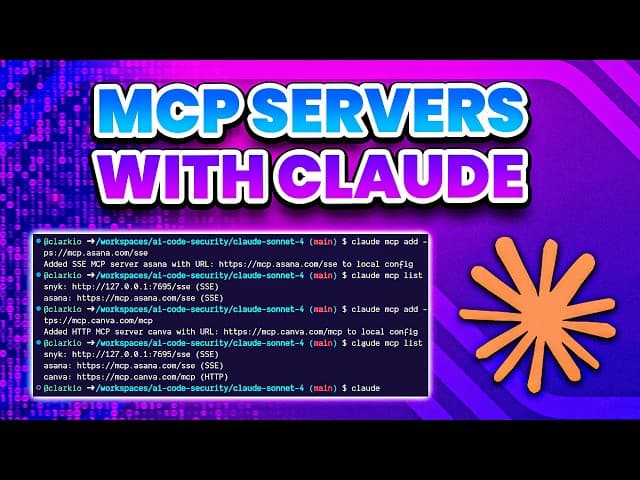
This tutorial walks through setting up MCP servers in Claude Code CLI, including the Snyk integration that powers the scan-and-fix workflow.
Installation
Usage
Who this is for: Any developer who wants to go from vulnerability detection to a validated fix without leaving the terminal. The skill works with any codebase supported by Snyk, which covers most popular languages and package managers.
Related Snyk resources:
8. Snyk Learning Path
Source: snyk-labs/snyk-learning-path-skill License: Not specified Last Updated: January 2026 Verified SKILL.md: Yes
This skill takes a different approach from the rest of this list. Instead of helping you write, review, or fix code, it helps you learn. Specifically, it analyzes your repository and builds a customized security learning path from the Snyk Learn catalog, which offers 130+ free lessons across security education, AI/ML safety, and product training.
What it does
When you invoke the skill, it:
Detects your repo's stack and application type by reading package manifests, framework configs, Dockerfiles, and IaC templates.
Selects relevant topics from the Snyk Learn catalog, filtered by your role and tech stack.
Builds 6-10 structured lessons covering both "Using Snyk" workflows and vulnerability patterns relevant to your application type.
Creates repo-specific exercises that use your actual codebase (running Snyk scans, fixing real issues, hardening real configs).
The skill accepts three parameters: your role (backend, frontend, security champion, DevOps), time per week (defaults to 1 hour), and an optional focus area (SAST, IaC, containers, OSS deps). If you leave parameters out, it infers defaults from your repository context.
Example output
For a Node.js backend repo with Docker and Terraform, the skill might generate:
Lesson | Topics | Exercises |
|---|---|---|
Dependency Risk | Supply chain, known vulns | Run Snyk SCA, fix a high-severity dep |
Injection Prevention | SQLi, command injection | Find injection patterns in your API routes |
Container Security | Base image selection, hardening | Scan your Dockerfile, reduce image surface |
IaC Misconfigurations | Terraform security groups, IAM | Scan your Terraform, fix public S3 buckets |
Snyk CI Integration | Pipeline scanning, break builds | Add Snyk to your CI workflow |
Installation
Usage
Or describe what you want:
Who this is for: Engineering teams onboarding onto Snyk, security champions building training programs, and individual developers who want structured security education tied to their actual codebase. The Snyk Learn platform itself is free, and most lessons take between three and ten minutes.
Related Snyk resources:
A note on skill security
There is an important irony in extending your development environment with community-built skills: you are adding third-party code to the tool that writes your code. Snyk's ToxicSkills study found that 13% of skills tested contained critical security flaws, and some actively attempted to exfiltrate credentials. The SKILL.md to Shell Access research demonstrated how three lines of markdown in a skill file can grant an attacker shell access to your machine.
Before installing any skill:
Read the
SKILL.mdand any bundled scripts. Skills are markdown and shell scripts, not compiled binaries. You can read every line.Check the source. Skills from established companies (HashiCorp, Snyk) and well-known developers (Addy Osmani) carry lower risk than anonymous repos.
Review permissions. The
allowed-toolsfrontmatter field shows what tools a skill can use. A skill that requestsBashaccess warrants more scrutiny than one that only usesReadandGrep.Use Snyk to scan. If you are already using Snyk Code or the Snyk MCP integration, you can scan skill scripts the same way you scan any code.
The skills on this list are from reputable sources with clear intent. But the general principle applies: review before you install.
Wrapping up
Claude Skills sit in a sweet spot between "just a prompt" and "full integration." They provide developers with structured, repeatable workflows without the overhead of running MCP servers or building custom tooling. The planning-with-files skill alone, with its 13,000+ stars, shows that developers have a real appetite for this kind of structured AI assistance.
What makes the skills on this list worth installing is that they encode genuine engineering knowledge. HashiCorp's Terraform skills reflect years of infrastructure best practices. Addy Osmani's web quality skills distill the Chrome team's performance research into actionable Claude instructions. The delivery workflow collection mirrors how good engineering teams actually separate implementation, review, and testing concerns.
The ecosystem is still young. New skills appear daily, and the quality varies widely. But the open standard behind Agent Skills (supported by Claude Code, Codex, Cursor, and Gemini CLI) means the skills you install today will likely work tomorrow, regardless of which coding assistant you switch to. That portability, combined with the low effort of installation (copy a directory, restart Claude), makes skills one of the highest-leverage investments you can make in your AI-assisted development workflow.
If you are new to Claude Skills, start with planning-with-files and one or two skills relevant to your daily work. The productivity difference on multi-step tasks is noticeable within the first session.
If you are looking for MCP servers instead of Claude Skills, see our 5 Best MCP Servers for Developers. Or, if you want deeper insight into the real-world risks of AI-generated code and what security teams are doing about it, download “The AI Security Crisis in Your Python Environment.”
WHITEPAPER
The AI Security Crisis in Your Python Environment
As development velocity skyrockets, do you actually know what your AI environment can access?