Geminiもバナナも勢ぞろい。Googleの新しいNano Bananaモデルの登場により、生成画像は新たな時代を迎えました。高度な大規模言語モデル(LLM)の台頭は、アプリケーション開発に新たな可能性をもたらし、とりわけマルチモーダルAIの分野を大きく進展させています。
テキストや画像など、さまざまなデータ形式のコンテンツを処理・生成する能力です。この革新をリードするのがGemini Nano Bananaモデル(正式名称はgemini-2.5-flash-image)です。高速かつ高品質な画像の編集、生成、処理に最適化された強力なツールです。JavaScriptやTypeScriptの開発者がこの機能を活用するには、効率性、保守性、セキュリティを確保するための、目的に合わせたベストプラクティスが必要です。もちろん、セキュリティも重要です。
この記事では、最新のWebアプリケーションにGemini Nano Bananaを組み込むための、実践的ですぐに使える簡単なテクニックをご紹介します。AI SDKなどの実績あるツールを活用して、複雑な基盤APIを型安全な抽象化レイヤーで扱えるようにすることで、アプリケーションのロジックに専念できます。この抽象化は、コード品質の向上とAI機能の将来性を高めるうえで重要です。
JavaScriptでGemini Nano Bananaを活用する主な方法は、ユーザーがアップロードしたコンテンツから、写実的な合成画像やスタイル化した画像などを動的に生成・編集することです。これを実現するために、Web上の外部画像をモデルに対応したUint8Array形式で効率よく取得する方法から、モデルが出力する生のバイナリデータをData URLに変換してクライアント側で表示する重要な手順まで、欠かせない運用方法を解説します。
さらに、プロンプト配列内に説明文と画像を交互に配置する手法をはじめとした、高度なプロンプトエンジニアリングの方法もご紹介します。この方法によってモデルに詳細なコンテキストを与え、複雑な構図のタスクを実行できるようにすることで、曖昧なリクエストから予測可能で高品質な結果を得られます。
最後に、開発者のワークフローにおけるAIの役割を踏まえ、エージェント型コーディングプラットフォームに関連ドキュメントを参照させること、そしてSnyk Studioなどのツールでセキュリティチェックを組み込み、コーディング速度を優先するあまりアプリケーションのセキュリティを損なわないようにする重要性を解説します。
それではチートシートを見ていきましょう。パフォーマンス向上につながるNano Banana開発の実践方法を、すぐに取り入れられます。
1. AI SDKを使う
AI SDKは、高度なAIアプリケーションの開発を目指すJavaScriptおよびTypeScript開発者に、強力で型安全かつ柔軟性の高いフレームワークを提供します。
OpenAIやGoogleなどが提供するライブラリを使うこともできますが、モデルAPIを抽象化することには大きなメリットがあります。
統一された宣言型のAPIを提供することで、SDKはGemini Nano Banana(ここではgemini-2.5-flash-imageを指します)のようなモデルと直接やり取りする複雑さを抽象化します。そのため開発者は、低レベルのAPI管理ではなく、アプリケーションのロジックに集中できます。
これにより開発プロセスが効率化されるだけでなく、コードの品質と保守性も向上します。特にTypeScript環境では、強い型付けによって実行時エラーが大幅に減り、開発者体験も改善されます。
以下は、AI SDKとGoogleのGemini 2.5 Flash Imageモデル(Nano Bananaとして知られるモデル)を使う例です。
2. Nano Bananaモデルの結果をData URLに変換する
Gemini Nano Banana(gemini-2.5-flash-image)のようなマルチモーダルモデルで画像を生成すると、通常、結果は生の画像ファイルとして返されます。多くの場合、Uint8Arrayバッファ形式です。
この画像をクライアント側のフロントエンドアプリケーション(React、Vue、または通常のJavaScriptで構築したWebサイトなど)ですぐに表示するには、生のバイナリデータをWebブラウザーがそのまま解釈できる形式に変換する必要があります。
そのための最も直接的で効率的な方法がData URL形式です。base64でエンコードされた画像データを<img>タグのsrc属性に直接埋め込むことで、別のサーバーエンドポイントを用意したり、ファイルをディスクに保存したりすることなく、生成した画像をすぐにユーザーに表示できます。
3. Webから画像データを取得する
ローカルファイルシステムから画像ファイルを読み込む代わりに、リモートURLからその場で画像を取得し、モデルAPIに対応したUint8Array形式に変換することもできます。
最新のJavaScriptアプリケーション、特にブラウザー上で実行されるアプリケーションでは、リモートのアセットを扱うことがよくあります。セキュリティポリシーによる制限や、動的なWebコンテンツには適さないといった理由で、ローカルファイルシステムから画像を読み込めない場合でも、リモートURLからその場で画像を取得できます。これにより、コンテンツデリバリーネットワーク(CDN)や外部サーバーにホストされた画像をモデルで処理できるようになり、柔軟性が高まります。
通常Uint8Arrayなどの特定のデータ構造を必要とするデバイス上のモデルAPIでリモートデータを扱うには、データの変換が必要です。標準的な手順では、fetch APIでリソースを取得し、生のレスポンスを受け取ってから、必要なUint8Array形式に変換します。
この処理によって、JPEG、PNGなどの対応形式の画像のバイナリデータが、モデルの処理関数が入力として必要とする8ビット符号なし整数の配列として正しく表現されます。リモートデータの取得と形式変換をシームレスに連携させることは、デバイス上のインテリジェンスを活用する堅牢で動的なJavaScriptアプリケーションの構築に不可欠です。
4. 説明文を組み合わせて詳細なプロンプトを作成する
モデルAPIやgenerateText({})APIには、各画像の内容を説明する注釈を付ける機能がありません。そのため、複数のファイルを指定した場合、順序は暗黙的になり、特にプロンプトが曖昧だとモデルが混乱することがあります。
この問題を解決し、プロンプトの精度を高めるには、プロンプトをチャットメッセージの連なりのように構成できます。画像の前後に説明文を挿入することで、モデルが意図を解釈するためのコンテキストを適切に与えられます。
モデルのプロンプトに説明文を交互に挿入する方法を見てみましょう。
プロンプトのcontent配列内でテキストとメディアを交互に配置するこの手法は、Gemini Nano Bananaなどのマルチモーダルモデルを細かく制御するうえで強力な方法です。
プロンプトを構造化された会話やナラティブとして扱うことで、開発者は単純なテキストと画像の入力にとどまらず、精密なインペインティング、構図の編集、特定の視覚要素に基づいた生成などの複雑なタスクを実行できます。その結果、画像生成APIから、より予測しやすく高品質な出力を得られます。
5. AI駆動開発でモデルのルールを活用する
Gemini CLI、Claude Code、Cursorなどのエージェント型コーディングプラットフォームを使う場合、APIドキュメントのコンテキストを与えて参照させることで、性能を高め、存在しないメソッド呼び出しの幻覚を防ぎたいと考えるでしょう。最新のドキュメントをエージェントに与えることで、LLMによるコーディング支援に、選択した新しいバージョンのAPIを使わせることもできます。
この例ではCursorのルールを使います。ファイル名は次の形式にします。.cursor/rules/ai-sdk-google-provider-docs.mdc次に、以下の内容を作成します。
AI SDKのドキュメントhttps://v6.ai-sdk.dev/providers/ai-sdk-providers/google-generative-ai#gemini-25-modelsなどの公式ドキュメント、またはその他のAPIドキュメントから内容をコピーして貼り付ければ、モデルに最新のコンテキストを与えられます。
6. Snyk Studioでセキュリティを確保しながらバイブコーディング
バイブコーディングやエージェント型コーディングでAIによるコード生成を活用する多くの開発者は、コーディング速度と引き換えに、安全なコーディングの実践やその他のアプリケーションセキュリティの責務をおろそかにしていたことに、後になって気づきます。
実例として、シークレットの漏えいやSSRFの脆弱性があります。コーディングエージェントにセキュリティの知見を持たせれば、こうした問題を防げます。
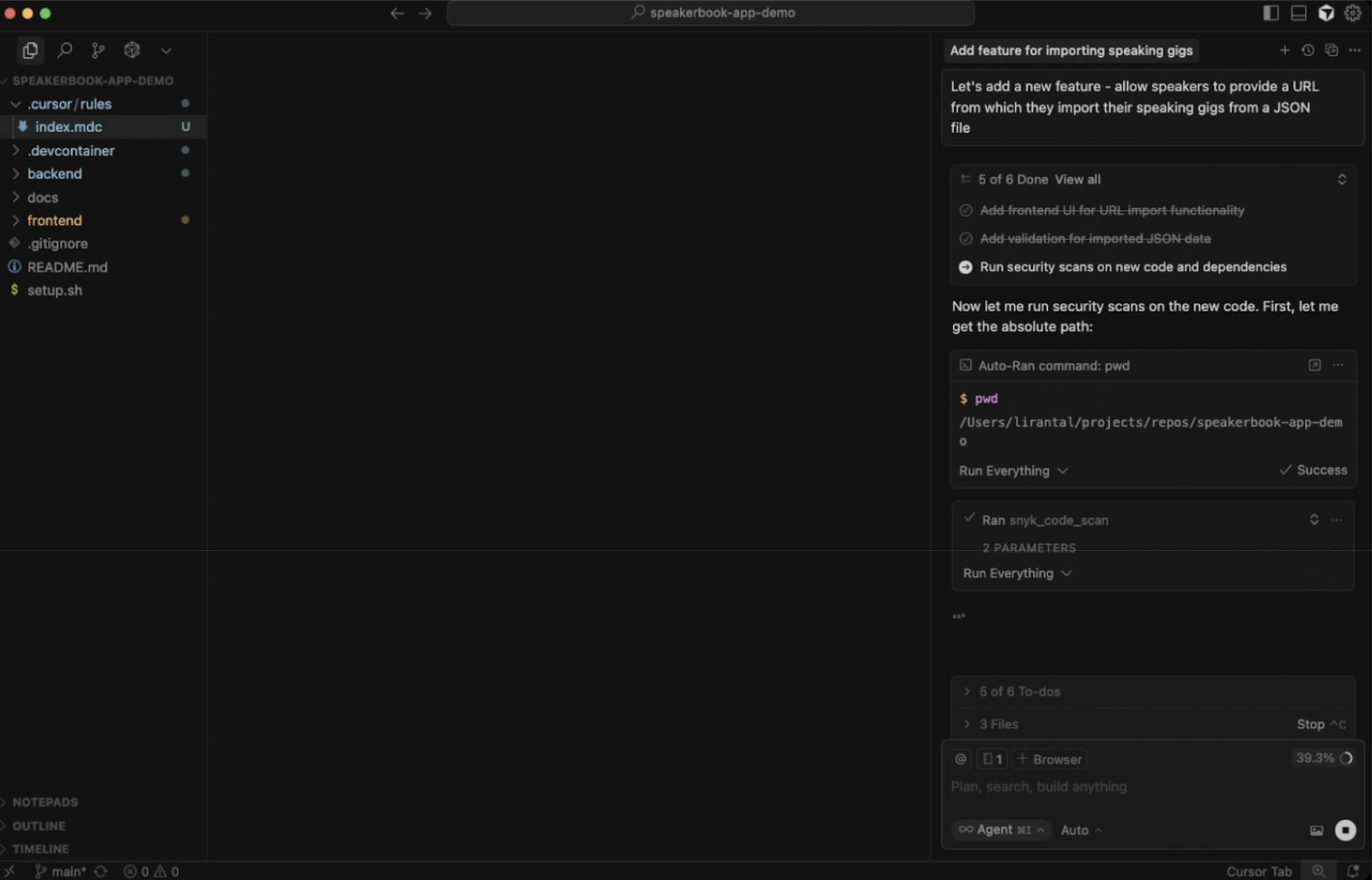
Snyk Studioは、MCPサーバー(Model Context Protocol)、エージェントフック、エージェントルールなどの仕組みを通じて、アプリケーションセキュリティチェックをエージェント実行時のネイティブなワークフローにシームレスに組み込み、エージェント型コーディングのサイクルに統合します。
Snyk Studioは無料で利用でき、Cursor、GitHub Copilot、Windsurf向けのワンクリックインストールに対応しています。また、ClineマーケットプレイスやFactory AIをはじめ、ほかにも多くのコーディングエージェントと連携できます。
バイブコーディングについて詳しく知りたい方は、オンデマンドワークショップ「バイブコーディングのセキュリティ対策:AI生成コードのセキュリティ課題に対処する」をご覧ください。
バイブコーディングを安全に:AI生成コードのセキュリティ課題に対処する
Snykのスタッフ・デベロッパーアドボケイトであるSonya Moissetが、バイブコーディングのセキュリティへの影響を解説し、AI生成コードを大規模に安全にするための実践的な方法をご紹介します。