Showing application vulnerabilities in Kubernetes-native tooling
2019年11月19日
0 分で読めますBuilding on the new Kubernetes features in Snyk Container, we’ve been experimenting with integrating vulnerability data more closely into the Kubernetes ecosystem. Snyk has an extensive set of dashboards and reporting features, which are great if you’re focused just on security. But what about if you don’t want to switch context from what you’re doing with Kubernetes? Can we use the rich set of APIs in Snyk Container to bring vulnerability information closer to Kubernetes?
Kubectl and the Vulnerability CRD
One way of extending Kubernetes is with custom resources. This is a mechanism for adding new objects to Kubernetes, which can then be manipulated by tools that know how to work with the Kubernetes API. So as well as managing Deployments and CronJobs, Kubernetes can manage your new resource. Let’s use a custom resource definition (CRD) to describe a vulnerability.
You can check that the CRD has been correctly installed like so:
We now need to populate our CRD with data from Snyk. The Snyk Kubernetes integration automatically scans workloads in the cluster and determines vulnerabilities in the associated images. We can read that information from the Snyk API, and insert it into Kubernetes using some of the tools found in https://github.com/snyk-labs/ksnyk.
With information loaded, we can use any Kubernetes API client to list the vulnerabilities found in our namespace. Let’s see that in kubectl.
The output shows brief details of the vulnerabilities, including severity, the affected workload, and which package in the image contains the vulnerability. You can get even more details, including a full description, by asking for a single vulnerability.
Show vulnerability data in your Octant dashboards
Octant is a new Kubernetes dashboard from VMware. Although only recently released, Octant already covers a lot of the ground of the kubectl CLI and also features a powerful plugin model.
Instructions for installing the Snyk Octant plugin, and importing the relevant data into Kubernetes from the Snyk API can be found in https://github.com/snyk-labs/ksnyk. Note that you’ll need to be a Snyk Container customer to use the API.
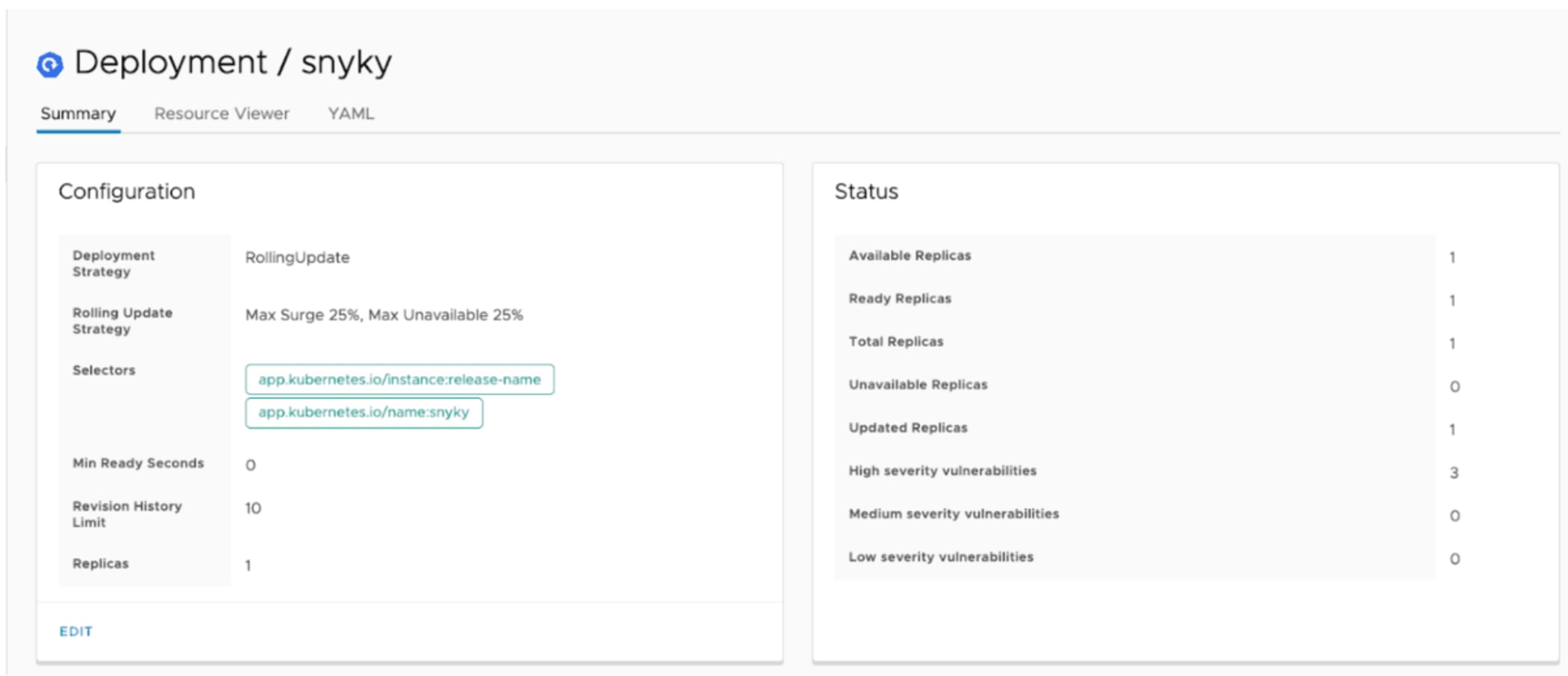
Take a look at the Deployment dashboard below. You should see vulnerability data in the status pane, including how many high, medium, and low severity vulnerabilities the workload currently has.
Octant also does a great job of displaying information about Custom Resources too. So installing our Vulnerability CRD mentioned above results in Octant surfacing vulnerability information for each workload in the namespace you’re viewing.
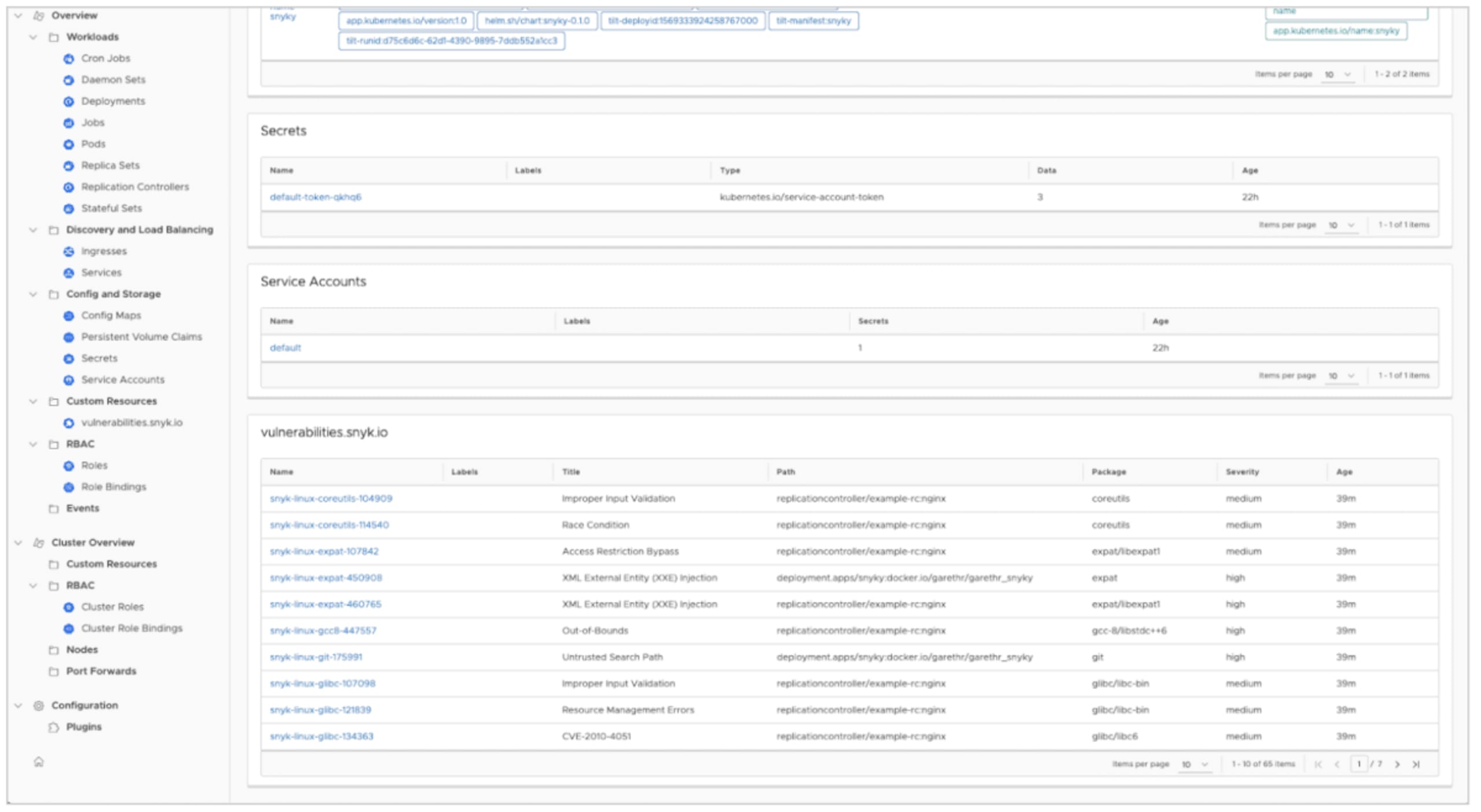
This prototype really just scratches the surface of the information we can surface in Octant. It will also be interesting to see how the Octant plugin ecosystem grows, and how we can combine vulnerability data in Kubernetes with other custom resources.
Conclusions
As noted, the above are experiments rather than finished features, but we’re interested in early feedback. You can try them out now if you’re a Snyk Container customer, using the tooling at https://github.com/snyk-labs/ksnyk. These utilities demonstrate both the extensibility of the Kubernetes platform and the power of having a first-class API in Snyk we can build upon.
開発者ファーストのコンテナセキュリティ
Snyk は、コンテナイメージと Kubernetes ワークロードの脆弱性を検出して、自動的に修正します。