Run AutoMCP To Supercharge Your AI Agent with Libraries MCP Servers


3 de diciembre de 2025
0 minutos de lecturaArtificial Intelligence (AI) is transforming software development with agentic coding tools like GitHub Copilot and Cursor, leading the charge. These tools use AI to assist developers in writing code, automate repetitive tasks, and expedite the development process.
However, as AI becomes more integrated into our coding environments, it is crucial to ensure that the code generated is not only efficient but also secure and that it has an accurate context of the open source dependencies in the project to perform well on code generation.
Introduction to AutoMCP and its role in AI development
Enter AutoMCP, an open source tool designed to enhance AI-driven development by seamlessly integrating Model Context Protocol (MCP) servers into your coding environment.
AutoMCP is an npm command-line tool that automates the installation of MCP servers in agentic coding tools. By running npx automcp, it detects your coding tool environment, reads your project's package.json, and sets up the appropriate MCP server for your dependencies. This automation simplifies the process of configuring your development environment, allowing you to focus on writing code.
Benefits of using Model Context Protocol (MCP) servers
MCP servers play a pivotal role in AI development by providing a standardized way for AI tools to communicate with platforms like Snyk.
This communication is essential for embedding security directly into AI-assisted workflows. With MCP servers, AI agents can autonomously run Snyk scans to identify security risks in your applications right from the start. This proactive approach ensures that vulnerabilities are caught early, reducing the risk of security breaches and minimizing the need for costly post-production fixes.
By integrating Snyk's security expertise into AI workflows, developers can innovate quickly and safely. Snyk Studio, which includes Snyk's MCP server, allows AI agents to utilize Snyk's scanning capabilities directly. This integration ensures that both human-written and AI-generated code is secure, providing a robust foundation for AI-driven development.
Practical example for scaffolding MCP servers
To illustrate the power of AutoMCP, consider a Node.js project with the following dependencies:
Running npx automcp in your project directory will automatically detect your coding agent (e.g., Cursor or VS Code), resolve the GitHub repositories for each dependency, and update your MCP configuration file with the appropriate server URLs:
This seamless integration of MCP servers into your development environment ensures that your AI agents have access to the necessary documentation and security checks, empowering you to build secure and efficient applications.
The role of Snyk in AI development
AI-assisted workflows are revolutionizing software development by automating tasks and accelerating code generation. However, this rapid pace introduces new security challenges. AI models, like human developers, can inadvertently generate code with vulnerabilities, rely on outdated libraries, or suggest insecure practices. Without proper security checks, these issues can slip into applications, increasing security risks and consuming valuable developer time to address.
Snyk addresses these challenges by embedding security directly into AI-assisted workflows. By integrating security checks at the inception of code generation, Snyk ensures that vulnerabilities are identified and resolved early, preventing them from becoming larger problems. This proactive approach not only enhances security but also allows developers to innovate quickly and safely.
Overview of Snyk Studio and its features
Snyk Studio is a comprehensive solution that integrates Snyk's security expertise into AI workflows using the Model Context Protocol (MCP). MCP is an open standard that enables AI tools to communicate with platforms like Snyk, obtaining the necessary context and performing security actions.
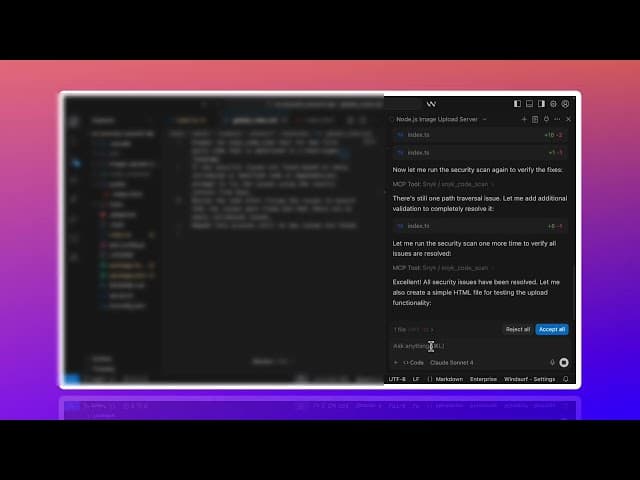
Snyk Studio includes the Snyk MCP server as part of the Snyk CLI, allowing AI agents to autonomously run Snyk scans. This integration enables AI assistants to identify vulnerabilities as they generate or suggest code, thereby embedding security checks into the early stages of AI-powered development. Snyk Studio supports various security-specific workflows, providing mechanisms to remediate existing security issues at scale. It offers deployment options tailored for enterprise customers, ensuring centralized and effective governance.
The Snyk MCP server operates as a local server, utilizing the Snyk CLI, to ensure local file access. Snyk Studio tools integrate several Snyk security tools into AI systems, including:
Snyk Studio complements existing Snyk IDE plugins, which provide real-time feedback to developers as they code. This combination ensures that both human-written and AI-generated code undergo security checks, establishing a secure foundation for AI-driven development.
Get started today
To supercharge your AI agent with robust security capabilities, explore the Snyk Studio and the Snyk MCP Server and integrate application security natively into your agentic coding workflow. This integration will equip your AI tools with the security brain they need to safeguard your applications against vulnerabilities.
LIBRO ELECTRÓNICO
Protección del ecosistema de servidores MCP
Explora las nuevas rutas de ataque y analiza incidentes reales para aprender cómo defenderte de ellos mediante estrategias prácticas y conscientes del flujo de trabajo.